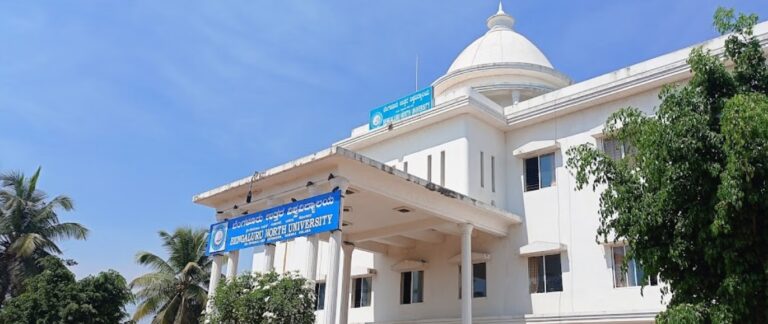
Mizoram University Result 2025-2026 – Check UG, PG Semester Results
Mizoram University (MZU), Aizawl, has released examination results for various UG and PG courses, including BA, BSc, BCom, BBA, BCA, MA, MSc, MCom, MBA, MCA, LLB, B.Tech, M.Tech and other professional programs. Students can check and download their results from the official university website at mzu.edu.in using their Roll Number.
Mizoram University Result 2025-2026 – Latest Notifications
The following results have been declared on the official Mizoram University examination portal. Students can download their marksheets using the links provided below.
| Date | Result Notification | Status | Link |
|---|---|---|---|
| Oct 2025 | BSc, BSW, BCA, BBA Odd Semester Results | Declared | Check Result |
| Oct 2025 | MBBS UG Course Result | Declared | Check Result |
| Sep 2025 | B.Sc Nursing 2nd and 4th Semester Results | Declared | Check Result |
| Aug 2025 | B.Sc. B.Ed. and B.A. B.Ed II Semester Results | Declared | Check Result |
| Jul 2025 | M.Sc 4th Semester Results | Declared | Check Result |
| Jul 2025 | BSc and NEP Even Semester Results | Declared | Check Result |
| Jun 2025 | BCA Even Semesters and Final Semester Results (May 2025 Exam) | Declared | Check Result |
| Jun 2025 | MCA Even Semesters and Final Semester Results (May 2025 Exam) | Declared | Check Result |
| Jun 2025 | BBA Even Semester Results (Regular and Repeater – May 2025 Exam) | Declared | Check Result |
| Jun 2025 | LLB Even Semesters Results | Declared | Check Result |
| Jun 2025 | NEP Undergraduate II and IV Semester Results | Declared | Check Result |
| Jun 2025 | UG II, IV and VI Semester Results (Regular and Repeater) under CBCS | Declared | Check Result |
| 2025 | Professional Courses Odd Semester/Annual Examinations Results | Declared | Check Result |
Mizoram University Professional Courses Results 2025
| Course | Semester | Status | Link |
|---|---|---|---|
| Bachelor of Law (LLB) | I, III and V Semesters (Regular and Repeater) | Declared | Check Result |
| Bachelor of Education (Special Education) | Annual Examination | Declared | Check Result |
| B.Sc Nursing | 2nd and 4th Semester | Declared | Check Result |
| B.Sc. B.Ed / B.A. B.Ed | II Semester | Declared | Check Result |
| MBBS | UG Course | Declared | Check Result |
Check Your Mizoram University Result
Official Result Portal: https://mzu.edu.in/category/examinations/
Smart Examination System: https://mzu.ucanapply.com/result-details
Login Credentials Required:
- Roll Number
- Registration Number (for some courses)
Alternative Result Links:
- Official University Website: mzu.edu.in
- Examination Section: mzu.edu.in/category/examinations
- Smart Exam Portal: mzu.ucanapply.com
People Also Read
-
 Kashmir University Result 2025-2026 - Check UG, PG Semester Results University Results
 -
 Bharathiar University Result 2025-2026 - Check UG, PG Semester Results University Results
 -

-

Mizoram University Quick Highlights
| Particulars | Details |
|---|---|
| University Name | Mizoram University (MZU) |
| Type | Central University |
| Established | 2nd July 2001 |
| Established By | Mizoram University Act, 2000 (Parliament of India) |
| Location | Tanhril, Aizawl, Mizoram – 796004 |
| Recognition | UGC, AICTE |
| NIRF Ranking 2025 | 82 (University Category) |
| Vice Chancellor | Prof. Dibakar Chandra Deka |
| Registrar | Prof. Lalnundanga |
| Official Website | mzu.edu.in |
| Result Portal | mzu.edu.in/category/examinations |
| Examination System | Semester (CBCS and NEP) |
Mizoram University Courses Offered
Undergraduate Courses (UG)
| Course | Duration | System |
|---|---|---|
| BA (Bachelor of Arts) | 3 Years (6 Semesters) | CBCS/NEP Semester |
| BSc (Bachelor of Science) | 3 Years (6 Semesters) | CBCS/NEP Semester |
| BCom (Bachelor of Commerce) | 3 Years (6 Semesters) | CBCS/NEP Semester |
| BBA (Bachelor of Business Administration) | 3 Years (6 Semesters) | Semester |
| BCA (Bachelor of Computer Applications) | 3 Years (6 Semesters) | Semester |
| B.Tech (Various Branches) | 4 Years (8 Semesters) | Semester |
| B.Arch (Bachelor of Architecture) | 5 Years (10 Semesters) | Semester |
| LLB (Bachelor of Law) | 3 Years (6 Semesters) | Semester |
| BA LLB (Integrated Law) | 5 Years (10 Semesters) | Semester |
| BSW (Bachelor of Social Work) | 3 Years (6 Semesters) | Semester |
| B.Sc Nursing | 4 Years (8 Semesters) | Semester |
| B.Ed (Bachelor of Education) | 2 Years | Semester |
| B.Pharma | 4 Years | Semester |
| B.Voc (Bachelor of Vocation) | 3 Years | Semester |
Postgraduate Courses (PG)
| Course | Duration | System |
|---|---|---|
| MA (Master of Arts) | 2 Years (4 Semesters) | Semester |
| MSc (Master of Science) | 2 Years (4 Semesters) | Semester |
| MCom (Master of Commerce) | 2 Years (4 Semesters) | Semester |
| MBA (Master of Business Administration) | 2 Years (4 Semesters) | Semester |
| MCA (Master of Computer Applications) | 2 Years (4 Semesters) | Semester |
| M.Tech (Various Branches) | 2 Years (4 Semesters) | Semester |
| MSW (Master of Social Work) | 2 Years (4 Semesters) | Semester |
| M.Ed (Master of Education) | 2 Years | Semester |
| M.Pharma | 2 Years | Semester |
| LLM (Master of Law) | 2 Years | Semester |
| M.Lib.I.Sc (Library Science) | 2 Years | Semester |
| M.Phil / Ph.D | 2-5 Years | Research |
How to Check Mizoram University Result 2025
Follow these steps to check and download your Mizoram University result:
- Visit the official website at mzu.edu.in
- Navigate to the “Exam” tab on the menu bar
- Click on “Examination Notices/Results” from the dropdown
- Select your course and semester result notification
- Click on the result link for your specific examination
- Enter your Roll Number in the provided field
- Click on Submit or View Result button
- Your result will be displayed on screen
- Download and save the marksheet as PDF for future reference
Alternative Method via Smart Examination Portal:
- Visit mzu.ucanapply.com/result-details
- Enter your Roll Number or Registration Number
- Click on Search to view your result
- Download and print the result
Details on Mizoram University Marksheet
| Field | Description |
|---|---|
| Student Name | Name as per university enrollment records |
| Roll Number | Examination roll number |
| Registration Number | University registration number |
| Course Name | Name of the program (BA/BSc/MA/MSc etc.) |
| Semester | Current semester number |
| Subject-wise Marks | Internal Assessment + End Semester marks |
| Credits Earned | Credits obtained in each subject |
| Grade Points | Grade points for each subject |
| SGPA | Semester Grade Point Average |
| CGPA | Cumulative Grade Point Average |
| Result Status | Pass/Fail/Promoted |
Mizoram University Grading System (CBCS)
| Grade | Grade Point | Percentage Range | Description |
|---|---|---|---|
| O | 10 | 90% and above | Outstanding |
| A+ | 9 | 80% – 89% | Excellent |
| A | 8 | 70% – 79% | Very Good |
| B+ | 7 | 60% – 69% | Good |
| B | 6 | 50% – 59% | Above Average |
| C | 5 | 40% – 49% | Average |
| P | 4 | 35% – 39% | Pass |
| F | 0 | Below 35% | Fail |
| Ab | 0 | – | Absent |
Mizoram University Revaluation and Scrutiny Process
| Particulars | Details |
|---|---|
| Application Mode | Online/Offline through Examination Section |
| Scrutiny Fee | As per university notification |
| Revaluation Fee | As per university notification |
| Application Deadline | Within 15-30 days of result declaration |
| Result Timeline | 4-6 weeks after application |
| Process | Apply through Examination Section with original marksheet |
Mizoram University Examination Schedule
| Examination | Month | Result Expected |
|---|---|---|
| Even Semester Examinations | May – June | June – July |
| Odd Semester Examinations | November – December | January – February |
| Repeater/Supplementary Exams | Along with Regular Exams | Along with Regular Results |
Mizoram University Important Links
| Purpose | Link |
|---|---|
| Official University Website | mzu.edu.in |
| Examination Notices/Results | mzu.edu.in/category/examinations |
| Smart Examination System | mzu.ucanapply.com |
| Result Search Portal | mzu.ucanapply.com/result-details |
| Admission Portal (Samarth) | mzuadm.samarth.edu.in |
| All News and Updates | mzu.edu.in/all-news-updates |
| Office Notifications | mzu.edu.in/category/notice |
| Contact Page | mzu.edu.in/contact-us |
Mizoram University Contact Information
| Contact | Details |
|---|---|
| Address | Mizoram University, Tanhril, Aizawl, Mizoram – 796004 |
| P.O. Box | 190 |
| Phone (Registrar) | 0389-2330654 |
| Phone (Alternate) | 0389-2330642 |
| Fax | 0389-2330834 |
| Vice Chancellor Email | vc@mzu.edu.in |
| Registrar Email | registrar@mzu.edu.in |
| Dean Students Welfare | dean.sw@mzu.edu.in |
| Admission Portal Support | samarth@mzu.edu.in |
| Grievance Redressal | 9856691338 |
FAQs
Q: How to check Mizoram University result 2025?
A: Visit the official website mzu.edu.in, go to Examination Notices/Results section, select your course and semester, enter your Roll Number and click Submit to view your result.
Q: What is the official result portal for Mizoram University?
A: The official result portal is mzu.edu.in/category/examinations for result notifications and mzu.ucanapply.com/result-details for searching individual results.
Q: What credentials are required to check MZU result?
A: You need your Roll Number to check and download your result from the official portal.
Q: What examination systems does Mizoram University follow?
A: Mizoram University follows CBCS (Choice Based Credit System) and NEP (National Education Policy) based semester system for different courses.
Q: When are Mizoram University examinations conducted?
A: Even semester exams are conducted in May-June and Odd semester exams in November-December. Results are typically declared 4-6 weeks after examinations.
Q: What is the minimum passing grade in Mizoram University?
A: Students need minimum Grade P (35% marks) to pass in each subject under the CBCS grading system.
Q: How to apply for revaluation in Mizoram University?
A: Apply through the Examination Section within 15-30 days of result declaration with the prescribed fee and original marksheet copy.
Q: When will the original marksheet be available?
A: Original marksheets are distributed through respective departments/colleges within 2-3 months after result declaration. Students can download provisional marksheets from the online portal.
Q: What if my result shows Roll Number not found?
A: Verify that you have entered the correct Roll Number and selected the right course/semester. If the issue persists, contact the Examination Section at the university.
Q: Can I check Mizoram University result on mobile?
A: Yes, the result portal is mobile-friendly. You can check and download your result using any smartphone browser by visiting mzu.edu.in.