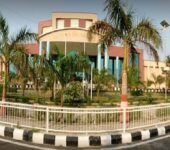
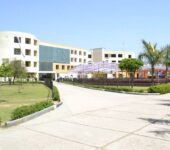
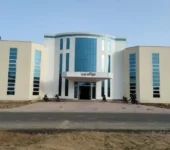
Bharath Institute of Higher Education and Research (BIHER), Chennai, has announced semester examination results. The result released is for all undergraduate, postgraduate, engineering, and professional programs. Students can check their B.Tech, MBA, BBA, BCA, B.Com, BA, BSc, M.Tech, MCA, and other course results online using their registration number and date of birth at bharathuniv.ac.in.
Bharath University Result 2025-2026 – Latest Notifications
The following table contains recent result declarations from Bharath University Chennai (BIHER) as per the official website notifications. Students should visit the official examination portal regularly for the most current updates.
Date
Result Notification
Status
Link
January 2026
M25 LAW – Updated Result after Revised Internal and Revaluation
Note: Visit the official Bharath University website at bharathuniv.ac.in for the latest verified result notifications. Results are updated under the Examination section.
Bharath Institute of Higher Education and Research, 173, Agaram Main Road, Selaiyur, Chennai – 600073, Tamil Nadu
Phone Number
044-2229 0742, 044-2229 0743
Email (General)
info@bharathuniv.ac.in
Email (Admissions)
admissions@bharathuniv.ac.in
Website
www.bharathuniv.ac.in
About Bharath University Chennai
Bharath Institute of Higher Education and Research (BIHER), commonly known as Bharath University, is a deemed to be university located in Chennai, Tamil Nadu. The institution was established in 1984 as Bharath Institute of Science and Technology (BIST) under Sri Lakshmi Ammal Educational Trust by the academic visionary Dr. S. Jagathrakshakan. The institute was granted Deemed to be University status by UGC in 2003.
BIHER is the first private university in India to receive international accreditation from ABET, USA in 2018. The university holds NAAC ‘A’ grade accreditation along with NBA, NABL, and ISO certifications. It is ranked in NIRF, QS World Rankings, and Times Higher Education World University Rankings.
The university operates multiple schools, including School of Engineering, School of Medicine, School of Dentistry, School of Law, School of Pharmacy, School of Management and Commerce, School of Architecture, School of Nursing, School of Physiotherapy, School of Agriculture, and School of Arts and Sciences.
Schools and Faculties at Bharath University
Engineering and Technology
School of Aeronautical Engineering
School of Civil and Infrastructure Engineering
School of Computing (CSE, IT)
School of Electrical Engineering (EEE, ECE)
School of Mechanical Engineering
School of Bio-Engineering
School of Architecture
Medical and Health Sciences
School of Medicine
School of Dentistry
School of Pharmacy
School of Nursing
School of Physiotherapy
School of Allied Health Sciences
Management and Arts
School of Management and Commerce
School of Law
School of Arts
School of Basic Sciences
School of Agriculture
FAQs
How to check Bharath University result online?
Visit the official website at bharathuniv.ac.in, click on the relevant result notification, enter your Registration Number and Date of Birth, and click submit to view your result.
What credentials are required to check Bharath University result?
You need your Registration Number (as mentioned on your ID card or hall ticket) and Date of Birth in DD.MM.YYYY format to access your examination result.
What is the passing criteria at Bharath University?
Students generally need to secure minimum 40% marks in each subject and overall to pass the examination. Some professional courses may have higher passing requirements as per regulatory bodies.
How to apply for revaluation at Bharath University?
Log in to the university examination portal, navigate to revaluation section, select subjects, pay the fee online, and submit your application within 15 days of result declaration.
When will original marksheet be available?
Original marksheets are usually available 2 weeks after result declaration. Students can collect them from their respective departments or the examination section.
What does RA mean in Bharath University result?
RA stands for Re-Appear, indicating that the student has failed in that particular subject and needs to appear for the arrear examination to clear the backlog.
How to access CAMU student portal?
Visit camu.in and log in with your student credentials provided by the university. Through CAMU, you can access results, attendance, fee details, and other academic information.
How to verify Bharath University certificate?
Certificate verification can be done through the official verification portal at bharathuniv.directverify.in or through WES (World Education Services) for international verification.
Amay Mathur is an EdTech content and SEO professional with over 4 years of experience in building scalable education content systems. He played a key role in developing the content framework at Chegg, focusing on structure, discoverability, and student intent. Amay actively contributes to editorial education content, ensuring clarity, accuracy, and search-aligned storytelling that helps learners make informed academic decisions.
− Alagappa University DDE has declared the May 2025 Regular and Revaluation Results for all UG and PG Distance Education students. Students can check their DDE results online using their Registration Number on the official university examination result portal. The university has also officially released the examination schedule and timetables for the upcoming Distance Education…
Chaudhary Devi Lal University (CDLU), Sirsa, a prominent state university in Haryana, has announced the semester and annual examination results for all its undergraduate, postgraduate, and professional programs through its official website. Established in honor of the former Deputy Prime Minister of India, Chaudhary Devi Lal, the university has grown into a leading center of…
Bhakta Kavi Narsinh Mehta University (BKNMU) has released the BKNMU Result 2025–2026 for various UG, PG, and Medical semester examinations, bringing important updates for thousands of students across Gujarat. Candidates who appeared for undergraduate courses like BA, BSc, BCom, as well as postgraduate programs including MA, MSc, and MCom, can now check their semester-wise results…
B.S. Abdur Rahman Crescent Institute of Science and Technology (BSACIST), Chennai conducts semester examinations for various undergraduate, postgraduate and doctoral programs. Students can check their examination results online through the official student portal. This page provides complete information about BSACIST results including latest notifications, direct result links, how to check results, and step-by-step checking process….
− Kakatiya University officially declared numerous UG and PG semester results for the 2025–2026 academic session, covering various programs. Students must access results using their hall ticket number on the official portals: kuonline.co.in or kuexams.org. Results are available for regular, supplementary, and revaluation exams across CBCS and non-CBCS systems. Kakatiya University, Warangal has officially announced…
Dr. B.R. Ambedkar University (BRAU), Srikakulam, has officially released the semester examination results for a wide range of undergraduate, postgraduate, and professional courses, including B.Tech, B.Ed, MCA, MBA, LLB, and more. Students enrolled in programs such as BA, BSc, BCom, BBA, BCA, MA, MSc, MCom, and other specialized courses can now access their results online…