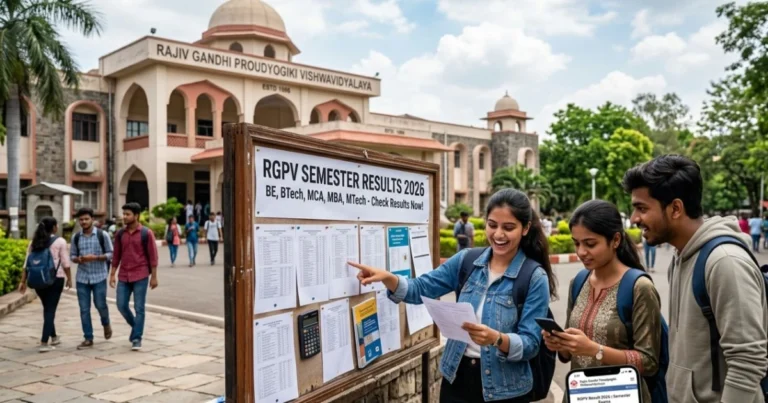
RGUKT Result 2026 – Check Integrated B.Tech, M.Tech Results
Rajiv Gandhi University of Knowledge Technologies (RGUKT) has released the semester, revaluation, and admission selection results for its various campuses, including Basar, Nuzvid, and Srikakulam. Students can access their individual semester results for programmes like the 6-Year Integrated B.Tech and M.Tech by logging into their respective campus portals. Admission merit lists for the new academic year are available on the common admissions website.
This page provides direct links, step-by-step guides, and detailed information on checking all RGUKT results, understanding the grading system, and the process for challenge revaluation.
| Released On | Result Notification | Course / Degree | Check Result |
| 13 Jul 2026 | E1S2(N23) & E3S2 (N21) July26 Regular, Recounting & Revalutions Results. | B.Tech | Check Result (Nuzvid) |
| 03 Jul 2026 | PUC P1S1, P1S2, P2S1,P2S2 (2024, 2023, 2022 batch) Remedial Results June, 2026. | PUC (Pre-University Course) | Check Result (Nuzvid) |
| 01 Jul 2026 | M.Tech 1st Year (2025-Batch-CE) Semester-1 Regular examination results for April, 2026. | M.Tech | Check Result (Nuzvid) |
| 13 Jun 2026 | RGUKT AP Selection Merit List 2026 (Nuzvid, RK Valley, Ongole, Srikakulam) | 6-Year Integrated B.Tech | Check Merit List |
| 02 Jun 2026 | AY 2025-26 E1 Sem-I EST (Reg & Rem, Dec-25) – Results | B.Tech | Check Result (Basar) |
| 30 May 2026 | RGUKT Basar Selection Merit List 2026 | 6-Year Integrated B.Tech | Check Merit List |
To check semester results, students must log in to their respective campus student portal (e.g., Info. Hub) using their Student ID and password. For admission results, candidates typically need to provide their 10th Class Hall Ticket Number and Date of Birth on the common admissions portal.
RGUKT Results 2026: A Quick Overview
This table summarizes the essential information for students seeking their RGUKT results across different campuses and programmes.
| University Name | Rajiv Gandhi University of Knowledge Technologies (RGUKT) |
| Abbreviation | RGUKT |
| Campuses | Basar (Telangana), Nuzvid, RK Valley, Srikakulam, Ongole (Andhra Pradesh) |
| Main Programmes | 6-Year Integrated B.Tech, M.Tech |
| Official University Website | rgukt.ac.in |
| Key Result Portals | hub.rgukt.ac.in, examcell.rguktn.ac.in, admissions.rgukt.in |
| Results Published | Semester Results, Remedial/Backlog, Revaluation, Admission Merit Lists |
| Credentials for Semester Result | Student ID and Password |
| Credentials for Admission Result | 10th Class Hall Ticket Number, Date of Birth |
Accessing Your RGUKT Results: A Campus-wise Guide
RGUKT operates several campuses, each with its own system for publishing results. It’s crucial to use the correct portal assigned to your campus to avoid confusion. Here’s a breakdown of how to check your results based on the portal.
Method 1: Using the Campus Student Hub (e.g., Basar Info. Hub)
Most RGUKT campuses, including the Basar campus, use a centralized student information hub for results, attendance, and other academic activities. This is the primary method for checking regular semester results.
- Visit the official RGUKT student hub for your campus. The primary portal for Basar is hub.rgukt.ac.in.
- Enter your unique Student ID in the designated field.
- Enter your corresponding Password.
- Complete any captcha verification if required and click on the ‘Login’ or ‘Submit’ button.
- Once logged in, navigate to the ‘Results’ or ‘Examination’ section on your dashboard.
- Select the relevant semester and examination session (e.g., E1 Sem-I Dec-2025).
- Your result, including subject-wise grades and SGPA/CGPA, will be displayed on the screen.
- Download or take a printout of the digital marksheet for your records.
Method 2: Checking the Campus Examination Cell Portal (e.g., Nuzvid)
Some campuses, like RGUKT Nuzvid, maintain a separate portal managed by the Controller of Examinations for publishing result notifications, PDFs, and specific links.
- Go to the specific examination cell website, for instance, examcell.rguktn.ac.in for the Nuzvid campus.
- Look for the ‘Results’ or ‘Notifications’ section on the homepage.
- Find the link corresponding to your course and examination session from the list of recent declarations.
- Clicking the link may open a PDF file with the roll numbers of passed students or a new page requiring your login credentials.
- If it’s a login page, enter your Roll Number/Student ID to view your individual result.
- Save the result PDF or the webpage for future reference.
The ‘Challenge Revaluation’ Process at RGUKT
If a student is not satisfied with their grades in a particular theory subject, they have the option to apply for ‘Challenge Revaluation’. This is a formal process where the answer script is re-evaluated by a different examiner.
- Check the Notification: After the results are declared, the university releases a specific notification for Challenge Revaluation on the exam cell website or student hub. This notification contains the last date to apply and the fee per subject.
- Online Application: Students must apply for revaluation online through their student hub login, such as the Basar Revaluation Portal. There is no offline application process.
- Fee Payment: A non-refundable fee must be paid for each subject the student wishes to have re-evaluated. The payment is typically done online through the portal.
- Time Limit: The window for applying for revaluation is usually very short, often just seven days from the date of the result declaration, as per university rules. Students must act quickly.
- Result Declaration: The revaluation results are declared separately after a few weeks. The university will publish a notification with the updated results. The marks may increase, decrease, or remain unchanged.
Recent Revaluation Notifications (Basar Campus)
The following table lists recent revaluation registration schedules announced on the official student hub.
| Examination / Course | Registration Start Date | Registration End Date |
| AY 2025-26 M.Tech SEM-I Regular (Feb-26) Reverification | 01 Jul 2026 | 03 Jul 2026 |
| AY 2025-26 PUC-I & II SEM-I & II Remedial (Jun-26) Reverification | 01 Jul 2026 | 03 Jul 2026 |
| AY 2025-26 E1S1 EST Reg & Rem (Dec-25) Re-verification | 02 Jun 2026 | 05 Jun 2026 |
| AY 2025-26 E4 S2 EST Regular (Apr-26) Re-verification | 08 May 2026 | 10 May 2026 |
| AY 2025-26 P2 AE Regular (Mar-26) Reverification | 08 May 2026 | 10 May 2026 |
| AY 2025-26 P1S1 Regular (Dec-25) Reverification | 05 May 2026 | 07 May 2026 |
RGUKT Grading System and Performance Evaluation
RGUKT follows a Credit-Based System and uses the Cumulative Grade Point Average (CGPA) to evaluate student performance. Understanding your grade card requires familiarity with the grading scale and how SGPA and CGPA are calculated.
RGUKT Grading Scale
The university uses a 10-point absolute grading system. The grade awarded to a student in each course is based on their performance in mid-term and end-semester examinations.
| Letter Grade | Grade Point | Performance |
| O | 10 | Outstanding |
| S | 9 | Excellent |
| A | 8 | Very Good |
| B | 7 | Good |
| C | 6 | Average |
| D | 5 | Pass |
| F | 0 | Fail |
| Ab | 0 | Absent |
SGPA vs. CGPA Calculation
- SGPA (Semester Grade Point Average): This reflects your academic performance in a single semester. It is calculated using the formula:
SGPA = Σ (Ci × GPi) / Σ Ci, where ‘Ci’ is the credit for a course and ‘GPi’ is the grade point obtained in that course. - CGPA (Cumulative Grade Point Average): This represents your overall academic performance across all completed semesters. It is the weighted average of the SGPAs of all semesters.
CGPA to Percentage Conversion
As per the official academic regulations of RGUKT, the formula for converting CGPA into an equivalent percentage is: Equivalent Percentage = (CGPA – 0.75) * 10. This is crucial for students applying for higher studies or jobs.
Information Displayed on Your RGUKT Digital Marksheet
When you view your result online, the digital marksheet or grade card will contain several important details. You should verify all of them carefully.
- Student’s Full Name
- Student ID / Hall Ticket Number
- Programme and Branch of Study (e.g., B.Tech in CSE)
- Semester / Year
- List of Subject Codes and Names
- Credits for each Subject
- Grade Obtained in each Subject
- Grade Point for each Subject
- Semester Grade Point Average (SGPA)
- Cumulative Grade Point Average (CGPA)
- Result Status (e.g., Pass / Fail / Promoted)
- Date of Result Declaration
If you find any discrepancy in your personal details, contact the university’s examination cell immediately.
RGUKT’s Six-Year Integrated B.Tech Programme and Other Courses
RGUKT’s flagship offering is a unique six-year integrated B.Tech programme designed for meritorious rural students who have completed their 10th grade.
Programme Structure
- 2-Year Pre-University Course (PUC): The first two years are equivalent to an intermediate course, focusing on a strong foundation in Mathematics, Physics, and Chemistry.
- 4-Year B.Tech Programme: After successfully completing the PUC, students transition into a four-year engineering programme in a specific discipline.
Engineering Disciplines Offered
Students can pursue their B.Tech in one of the following specializations across the various campuses:
| S.No. | B.Tech Specialization |
| 1 | Chemical Engineering |
| 2 | Civil Engineering |
| 3 | Computer Science & Engineering (CSE) |
| 4 | Electrical Engineering (EE) |
| 5 | Electronics & Communication Engineering (ECE) |
| 6 | Mechanical Engineering |
| 7 | Metallurgical & Materials Engineering (MME) |
In addition to the integrated programme, the university also offers postgraduate M.Tech programmes in various specializations for engineering graduates.
About Rajiv Gandhi University of Knowledge Technologies
Established by the Government of Andhra Pradesh in 2008, Rajiv Gandhi University of Knowledge Technologies (RGUKT) is a state university with a unique mandate to provide high-quality technical education to talented rural youth. The university is known for its flagship 6-year integrated B.Tech program, which admits students directly after their 10th-grade examinations based on merit. RGUKT operates through multiple campuses, including Basar in Telangana and Nuzvid, RK Valley, Srikakulam, and Ongole in Andhra Pradesh, each dedicated to nurturing engineering talent from underprivileged backgrounds.
Reaching the RGUKT Examination Authorities
For any result-related discrepancies, mark sheet issues, or queries about the revaluation process, students should contact the examination authorities of their respective campus. Please use the official channels for communication.
| Campus | Contact Type | Details |
|---|---|---|
| RGUKT Nuzvid | coe@rguktn.ac.in | |
| RGUKT Nuzvid | Mobile | 8333981195 |
| RGUKT Basar | webmaster@rgukt.ac.in | |
| RGUKT Basar | Address | RGUKT Basar, Telangana – 504107 |
Students are advised to mention their Student ID and course details in all communications for a faster response.
Common Questions from RGUKT Students on Result Day
- When will the next RGUKT semester results be declared?
- RGUKT typically declares the results for odd semester exams (Nov/Dec) in January/February and for even semester exams (Apr/May) in June/July. However, these are tentative timelines. For the most accurate information, students must regularly check the official website of their campus exam cell or the student hub.
- My result is not showing on the hub, what should I do?
- First, double-check that you have entered the correct Student ID and password. Clear your browser cache and try again. Sometimes, heavy traffic on result day can cause the server to slow down. Wait for some time and retry. If the problem persists, contact your campus’s examination cell or IT helpdesk.
- What is the difference between the Basar hub and the Nuzvid examcell portal?
- The Basar Hub (hub.rgukt.ac.in) is a comprehensive student portal for Basar campus students to check individual results, attendance, and other personal academic data. The Nuzvid Examcell Portal (examcell.rguktn.ac.in) is the official site for the Controller of Examinations at the Nuzvid campus, used for publishing public notifications, result PDFs, and circulars for all students of that campus.
- How is the merit list for RGUKT admissions calculated?
- Admission to the 6-year integrated B.Tech program is not based on an entrance exam but on the Grade Point Average (GPA) obtained in the 10th-grade public examination. A deprivation score is often added to the GPA of students from non-private schools to promote equity for those from rural and government school backgrounds.
- What is ‘Challenge Revaluation’ and is it different from re-totalling?
- Yes, they are different. Re-totalling (or recounting) only involves checking for any errors in the summation of marks. ‘Challenge Revaluation’ at RGUKT is a more comprehensive process where the entire answer script is re-assessed by a new subject expert, which can lead to a change in the awarded marks.
- What are Grade Improvement (GI) exams?
- As per notifications like ‘PUC-I & II Remedial & Grade Improvement Exams’, these are opportunities for students who have already passed a subject to retake the exam to improve their grade. The schedule and application process are announced on the official examination portals.
- How can I get official transcripts from RGUKT?
- The student portals, such as the Info. Hub for the Basar campus, typically have a section for ‘Online Certificate Requests’. This is the designated channel for applying for official academic documents like transcripts.
- Where can I find my old semester results or grade cards?
- Your previous semester results and grade cards should be permanently available in your student login on the campus hub portal. You can log in anytime to view or download your past academic performance records.