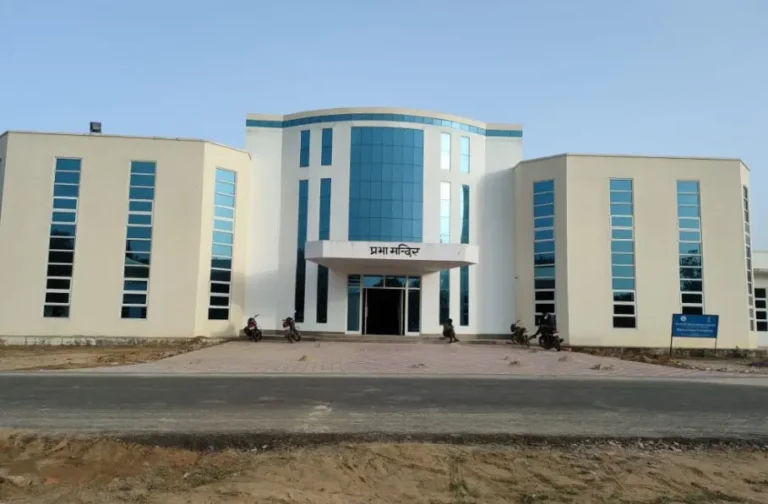
Swami Vivekananda University Result 2026 – Check SVU Kolkata Semester, RET, Revaluation Results
As of July 2026, Swami Vivekananda University (SVU), Kolkata, is in the process of declaring the results for its Even Semester examinations conducted earlier in the year. The university has already published the final results for the Ph.D. Research Eligibility Test (RET) 2026-27 on May 5, 2026, and is expected to release the semester results for its various undergraduate and postgraduate programmes soon.
This comprehensive guide provides all the necessary information for students to access their SVU semester results, re-evaluation notifications, arrear exam outcomes, and entrance test scorecards. All results are published through the university’s official channels, including the dedicated result portal and the main notice board, which typically require an Enrollment Number for access.
Swami Vivekananda University Result 2026: Latest Updates
Here is a summary of the most recent result announcements and notifications from Swami Vivekananda University. Students are advised to monitor the official website for the latest updates and result links.
| Released On | Result Notification | Course / Degree | Check Result |
| Expected – Jul/Aug 2026 | Even Semester Examination Results 2026 | All UG/PG Courses (B.Tech, B.Sc, BBA, MBA, etc.) | Link to be Active |
| 01 Jul 2026 | PPR, PPS & PPV Notification – Even Semester Examinations 2026 | All Programmes | Check Notification |
| 05 May 2026 | Final Result Publication of RET 2026-27 | Ph.D. | View Notice |
| Expected – Feb 2026 | Provisional Result of RET 2026-27 | Ph.D. | Check Notice |
| Expected – Jan 2026 | Provisional Result RET Phase II, 2025 | Ph.D. | Check Notice |
How to Access Your SVU Semester Results Online
Swami Vivekananda University publishes its regular and arrear semester exam results on a dedicated online portal. Students can follow the steps below to download their provisional mark sheet once the results are declared.
- Go to the Official Result Portal: Navigate to the SVU’s designated result page: swamivivekanandauniversity.ac.in/backend/resource/assets/images/notice/result.html.
- Enter Your Credential: The portal will require you to enter your Enrollment Number in the specified field. Ensure you type it correctly as mentioned on your admit card or university ID card.
- View Your Result: After submitting your enrollment number, your result for the selected semester will be displayed on the screen.
- Download and Print: Carefully review all the details, including your name, subjects, marks, and final status. You can download the result as a PDF or take a printout for your immediate reference.
Important Disclaimer: The official result portal states, “SVU is not responsible for any inadvertent error that may have crept in the results being published on NET. The results published on net are for immediate information to the examinees. These cannot be treated as original mark sheets. Original mark sheets have been issued by the University separately.”
Post-Result Procedures: Scrutiny, Review, and Verification (PPS/PPR/PPV)
If a student is not satisfied with their marks, SVU provides a formal process for re-evaluation through Post-Publication Scrutiny (PPS), Post-Publication Review (PPR), and Post-Publication Verification (PPV). The university releases a specific notification with guidelines, fees, and deadlines for this process shortly after the main results are declared.
Key Differences and Application Process:
- Post-Publication Scrutiny (PPS): This involves a careful re-totaling of marks to check for any calculation errors and to ensure all attempted questions have been assessed.
- Post-Publication Review (PPR): This is a more thorough process where the entire answer script is re-evaluated by a different examiner to check for any inconsistencies in marking.
- Post-Publication Verification (PPV): This process verifies the authenticity and correctness of the evaluation procedure itself.
How to Apply for Re-evaluation:
- Wait for the official notification on the university’s notice board, which will contain the application form and deadlines.
- Download and fill out the form with accurate details, specifying the subject(s) for which you are requesting a review or scrutiny.
- Pay the requisite application fee per subject, as mentioned in the official notification. Payment is usually made through the university’s designated payment gateway.
- Submit the completed form along with the payment receipt to the Office of the Controller of Examinations before the stipulated deadline.
How to Check SVU Revaluation and Scrutiny Results
The results of the PPR, PPS, and PPV are declared separately and are not immediately updated on the main result portal. Students must follow a different procedure to check their revaluation outcomes.
- Monitor the Notice Board: The university publishes a dedicated notification for revaluation results on its official Notice Board.
- Download the Result PDF: The result is typically released as a PDF file. This document lists the Enrollment Numbers or Roll Numbers of only those students whose marks or grades have changed after the re-evaluation process.
- Check for Your Number: If your number is on the list, it means your marks have been revised. The notification may specify the change.
- ‘No Change’ Status: If your enrollment number is not mentioned in the PDF, it implies that there is no change in your original marks.
- Collect Revised Mark Sheet: Students with changes in their results will be issued a new, revised mark sheet. They must contact the examination department for details on how to collect it.
SVU Arrear, Backlog, and Supplementary Exam Results
Swami Vivekananda University provides opportunities for students to clear subjects they could not pass in previous attempts through arrear or supplementary examinations. These are also known as backlog papers.
- Examination Schedule: Arrear exams are typically conducted along with the regular examinations of the subsequent odd or even semesters.
- Application Process: Students must fill out a separate examination form for their backlog subjects during the form fill-up window specified in the academic calendar. This requires paying a prescribed fee per subject.
- Result Declaration: The results for arrear and supplementary exams are usually declared along with the regular semester results.
- How to Check: Students can check their arrear results through the same official result portal by entering their Enrollment Number. The grade card will reflect the updated status of the cleared backlog subjects.
SVU’s Ph.D. Entrance (RET) Results
Swami Vivekananda University conducts a Research Eligibility Test (RET) for admission to its Ph.D. programs. The results for RET are published as a PDF list on the university’s main notice board, not on the individual student portal.
For the 2026-27 session, the university followed this timeline:
- RET Examination: January 20, 2026
- Provisional Result Declaration: February 2026
- Viva-Voce (Interview): April 28, 2026
- Final Result Publication: May 5, 2026
- Admission Dates: May 13 – 15, 2026
Candidates who appear for the test must check the notice board for the list of qualified candidates for the viva-voce and the final merit list for admission.
Decoding Your SVU Grade Card: Grading System Explained
The provisional result or the final mark sheet from SVU contains crucial details about your academic performance. It is essential to verify every piece of information. The grading system helps in understanding your performance through Grade Points, SGPA, and CGPA.
Details on the Marksheet:
- Student’s Full Name and Enrollment Number
- Programme and Department Name
- Semester/Year
- Subject Codes and Names
- Marks in Internal Assessment and End-Semester Examination
- Total Marks and Grade for each subject
- Semester Grade Point Average (SGPA)
- Cumulative Grade Point Average (CGPA)
- Result Status (e.g., Pass, Fail, Backlog)
Illustrative Grading Table
Below is a typical grading system used by universities like SVU to convert marks into grades and grade points.
| Letter Grade | Grade Point | Performance | Percentage of Marks (Typical) |
| O | 10 | Outstanding | 90% – 100% |
| A+ | 9 | Excellent | 80% – 89% |
| A | 8 | Very Good | 70% – 79% |
| B+ | 7 | Good | 60% – 69% |
| B | 6 | Above Average | 50% – 59% |
| C | 5 | Average | 40% – 49% |
| P | 4 | Pass | 35% – 39% |
| F | 0 | Fail | Below 35% |
| Ab | 0 | Absent | – |
- SGPA (Semester Grade Point Average): It is the weighted average of the grade points obtained in all the courses registered in a semester. It is calculated as: Σ(Credits × Grade Points) / Σ(Credits).
- CGPA (Cumulative Grade Point Average): It is the weighted average of the grade points obtained in all courses from the first semester up to the current semester.
Academic Programmes at Swami Vivekananda University
SVU offers a diverse range of undergraduate, postgraduate, and doctoral programmes across multiple schools. The results for all these courses are managed and published by the university’s examination department.
| School / Faculty | Departments and Courses Offered |
| School of Engineering | Computer Science & Engineering, Civil Engineering, Electrical Engineering, Electronics & Communication Engineering, Mechanical Engineering (offering B.Tech, M.Tech, and Diploma courses) |
| School of Humanities & Social Science | English, Journalism & Mass Communication, Education (offering BA, MA, B.Ed courses) |
| School of Agriculture | Department of Agriculture (offering B.Sc. in Agriculture) |
| School of Management | Department of Management Studies (offering BBA and MBA programmes) |
| School of Allied Health Science | Physiotherapy (BPT), Optometry (B.Optom), Food & Nutrition (B.Sc/M.Sc), Psychology (BA/B.Sc, MA/M.Sc), Medical Laboratory Technology (BMLT), Medical Radiology & Imaging Technology, Anaesthesia & Operation Theatre Technology |
| School of Legal Studies | Department of Legal Studies (offering LL.B, B.A. LL.B programmes) |
| School of Computer Science | Computer Application (BCA/MCA), Data Science (B.Sc/M.Sc), Advanced Networking & Cyber Security, Multimedia & Animation |
| School of Life Science | Biotechnology (B.Sc/M.Sc), Microbiology (B.Sc/M.Sc) |
| School of Basic Science | Mathematics, Chemistry, Physics (offering B.Sc and M.Sc courses) |
| Research Programmes | Ph.D. programmes offered across various eligible departments. |
The Office of the Controller of Examinations: SVU Helpdesk
For any queries, discrepancies, or issues related to examinations and results, students should directly contact the Office of the Controller of Examinations. It is the central body responsible for all examination-related activities.
- Controller of Examinations: Prof. (Dr.) Sukumar Mukhopadhyay
- Primary Role: To lead the university’s examination and result publication processes.
- Address: Swami Vivekananda University, Barrackpore, Kolkata, West Bengal, India.
- Official Website: www.swamivivekanandauniversity.ac.in
- Examination Department Page: Controller of Examinations
- Notice Board: Official Notice Board
Frequently Asked Questions (FAQs) on SVU Exam Results
When will SVU release the Even Semester 2026 results?
The results for the Even Semester (April-June) 2026 examinations are expected to be declared in July or August 2026. The university has already started the post-result process by releasing the notification for PPR/PPS/PPV on July 1, 2026, which indicates that the result declaration is imminent.
What is the difference between PPR, PPS, and PPV at SVU?
These are the official terms for re-evaluation. PPS (Post-Publication Scrutiny) is primarily for re-totaling marks and ensuring all answers are checked. PPR (Post-Publication Review) is a full re-checking of the answer script by a new evaluator. PPV (Post-Publication Verification) confirms that the evaluation was conducted as per university norms. Students must apply for these separately as per the official notification.
How do I check my SVU revaluation result?
Revaluation results are not published on the individual student portal. The university releases a PDF notification on its official notice board. This PDF lists the roll numbers of students whose marks have changed. If your number is not on the list, your marks remain unchanged.
I have a backlog in a subject. How do I check my arrear exam result?
Results for arrear or backlog examinations are typically released with the regular semester results. You can check your status for these subjects by logging into the same result portal using your Enrollment Number. Your updated grade card will show the results for both regular and arrear papers.
I cannot log in to the Swami Vivekananda University result portal. What should I do?
First, double-check that you are entering the correct Enrollment Number without any spaces or errors. Ensure the result for your specific course and semester has been officially declared. If the problem continues, there might be a technical issue or high server traffic. Try again after some time. If the issue persists, contact the university’s examination department for support.
Is the online result from the SVU portal a final marksheet?
No. The result available online is a provisional scorecard for immediate information only. It cannot be used for official purposes like admissions or employment verification. The university will issue the original, consolidated mark sheet and grade card separately, and students will be notified about its collection from their respective departments.
How do I check the Ph.D. entrance (RET) result?
The Research Eligibility Test (RET) results are not published on the student login portal. Instead, the university releases a PDF file containing the list of qualified candidates on the main ‘Notice Board’ section of the official website. You need to visit the notice board and look for the relevant notification to download the PDF.
What should I do if there is a mistake in my provisional marksheet?
If you find any discrepancy in your online result (e.g., spelling of your name, incorrect subject code, or marks), you must immediately report it to the Office of the Controller of Examinations. This should be done in writing through the proper channels as soon as possible to ensure the error is rectified before the final mark sheets are printed.