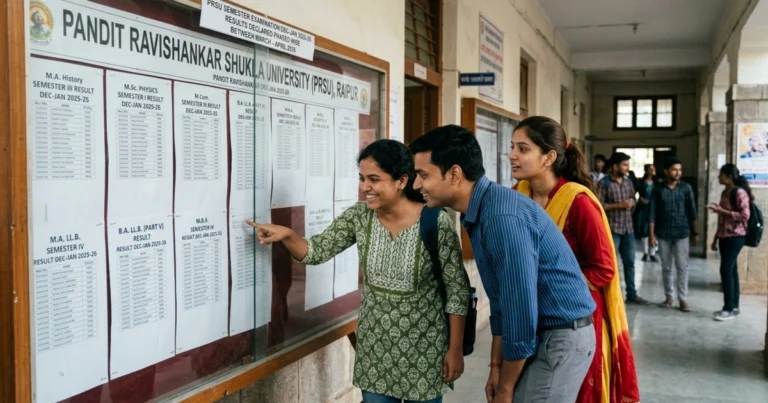
VHNSNC Result 2026 – Check UG/PG April & June Exam Results
Virudhunagar Hindu Nadars’ Senthikumara Nadar College (VHNSNC) has released the results for the April 2026 Summative Examinations, April 2026 Revaluation, and June 2026 Supplementary Examinations on its official result portals. Students of all Undergraduate (UG), Postgraduate (PG), PG Diploma, and Certificate courses can now check their marks online. This page provides direct links to the regular, revaluation, and supplementary exam results, along with detailed guides on the evaluation system, grading, and post-result procedures.
| Released On | Result Notification | Course / Degree | Check Result |
| 08 Jul 2026 | SUPPLEMENTARY RESULTS FOR SUMMATIVE EXAMINATIONS – JUNE 2026 | All Programmes | Check Result |
| 15 Jun 2026 | Verification Revaluation Result – April 2026 | All Programmes | Check Result |
| 29 May 2026 | SUMMATIVE EXAMINATIONS RESULTS – APRIL 2026 | UG, PG, PG Diploma, Certificate Courses | Check Result |
| Expected – 15 Jul 2026 | Admission Rank List 2026 | UG & PG Programmes | Check Here |
To check your result, you will need your Register Number and Date of Birth (in DD/MM/YYYY format). Please ensure you are using the correct portal, as VHNSNC maintains separate links for regular semester, revaluation, and supplementary results. Students are advised to download a copy of their online marksheet for future reference.
VHNSNC Result 2026: Core Details for Students
Here is a quick overview of the essential information regarding the VHNSNC examination results for the 2025-2026 academic session.
| Full College Name | Virudhunagar Hindu Nadars’ Senthikumara Nadar College |
| Abbreviation | VHNSNC |
| Status | Autonomous, Affiliated to Madurai Kamaraj University |
| Location | Virudhunagar, Tamil Nadu |
| Academic Session | 2025-2026 |
| Examinations Covered | Summative Examinations (April & November Sessions) |
| Result Mode | Online |
| Official Website | www.vhnsnc.edu.in |
| Main Result Portal | www.vhnsnc.edu.in/results.php |
| Credentials Required | Register Number and Date of Birth |
| Helpdesk Email | support@vhnsnc.edu.in |
How to Access Your VHNSNC Semester Results: A Step-by-Step Guide
Follow these steps carefully to check your VHNSNC semester results for any course without any hassle. The process is straightforward, but it’s important to select the correct link for the result you are looking for (Regular, Revaluation, or Supplementary).
- Visit the Official Website: Open your web browser and navigate to the official VHNSNC homepage: www.vhnsnc.edu.in.
- Navigate to the Examination Section: On the main menu, find the ‘Examination’ tab. Hover over it to see options like ‘Result’, ‘Revaluation Result’, and ‘Supplementary Exam Result’.
- Select the Relevant Result Link: The college publishes different results on separate pages. Click the direct link corresponding to the examination you appeared for (e.g., April 2026 Summative Exams, June 2026 Supplementary Results). You can also use the direct links provided in the table at the top of this article.
- Enter Your Credentials: You will be redirected to the result portal. Here, you must enter your Register Number and Date of Birth in the specified format (usually DD/MM/YYYY). Double-check the details for accuracy.
- View Your Result: After submitting the details, your result will be displayed on the screen. It will show your subject-wise marks, grades, and overall status.
- Download and Print: It is highly recommended to download the result page as a PDF or take a printout. This online marksheet serves as a provisional document for immediate reference until the official marksheets are issued by the college.
Note: On result declaration day, the official website may experience high traffic and become slow. If you face any issues, please be patient and try again after some time. Always use the official VHNSNC website for checking results to ensure data security and authenticity.
Navigating the Different VHNSNC Result Portals
One of the most common points of confusion for students is the presence of multiple result links. VHNSNC, being an autonomous college, manages its examination cycle meticulously and uses dedicated portals for different types of results. Here’s a breakdown to help you find the right one.
Main Summative Examination Results
This is the primary result portal for the main end-of-semester theory examinations, referred to as ‘Summative Examinations’. All regular students of UG and PG courses will find their results for the April/May and November/December sessions here. The college provides two server links (Site – 1 and Site – 2) to manage traffic. The current active portal for these results is vhnsnc.edu.in/results_1.php.
Revaluation Results Portal
If you were not satisfied with your marks and applied for a revaluation, your updated result will not be on the main portal. The college publishes all revaluation results on a separate, dedicated page: www.vhnsnc.edu.in/revaluation_result.php. You must check this specific link to see if there are any changes in your marks or grade.
Supplementary Examination Results
Students who had arrears (backlogs) and appeared for the supplementary examinations will need to check another specific portal. The results for these arrear papers are declared after the main results and are hosted at www.vhnsnc.edu.in/supplementary_result.php. Do not look for your supplementary result on the main semester result page.
Student Corner Portal
The college also maintains a comprehensive student portal at vhnsnc.edu.in/studentcorner/. This portal requires your Register Number and Date of Birth to log in. It is used for accessing student profiles, internal assessment marks, attendance records, and important academic circulars. It’s a good practice to be familiar with this portal for all non-result-related academic updates.
VHNSNC’s Evaluation System: CIA and Summative Exams
As an autonomous institution, VHNSNC follows a structured evaluation system that comprises two main components for assessing student performance throughout the semester.
- Continuous Internal Assessment (CIA): This component evaluates students’ performance throughout the semester. It typically includes mid-semester tests, assignments, seminars, projects, and class participation. The goal of CIA is to ensure continuous learning and provide regular feedback. It generally carries a weightage of 25% of the total marks for a subject.
- Summative Examinations (SE): This is the final examination conducted at the end of each semester. It is a comprehensive written exam that covers the entire syllabus for each course. The Summative Examination is the primary component of evaluation, typically accounting for 75% of the total marks.
A student’s final grade in a subject is a combination of their performance in both the CIA and the Summative Examination.
Understanding Your VHNSNC Grade Sheet and Grading System
Once you access your result, you will see a detailed online marksheet. Understanding the components is crucial for assessing your performance. Your provisional marksheet will typically contain your name, register number, course, semester, subject codes, subject names, internal and external marks, total marks, grade, and overall result status (Pass/Fail/Arrear).
VHNSNC Grading System Explained
The college uses a 10-point grading scale to evaluate student performance. The table below illustrates the typical grade points and corresponding mark ranges.
| Letter Grade | Grade Point | Marks Range (%) | Performance Classification |
|---|---|---|---|
| O | 10 | 90 – 100 | Outstanding |
| A+ | 9 | 80 – 89 | Excellent |
| A | 8 | 70 – 79 | Very Good |
| B+ | 7 | 60 – 69 | Good |
| B | 6 | 50 – 59 | Average |
| C | 5 | 40 – 49 | Pass |
| RA | 0 | Below 40 | Re-appear (Arrear) |
| Ab | 0 | – | Absent |
How to Calculate SGPA and CGPA
- SGPA (Semester Grade Point Average): It is the weighted average of the grade points obtained in all the courses during a semester. Formula:
SGPA = Σ(Cᵢ * Gᵢ) / ΣCᵢ, where Cᵢ is the number of credits for the i-th course and Gᵢ is the grade point scored in that course. - CGPA (Cumulative Grade Point Average): It is the weighted average of the grade points obtained in all courses from the first semester up to the current semester.
Post-Result Procedures: Revaluation and Supplementary Exams
If the result is not as expected, the college provides students with official procedures to apply for revaluation or to clear backlogs through supplementary exams.
Applying for Revaluation
Students who believe there might be an error in the evaluation of their answer scripts can apply for revaluation. The process generally involves these steps:
- The Controller of Examinations (CoE) office releases a notification with the last date to apply for revaluation shortly after the results are declared.
- Students must download the prescribed ‘Application Form for Revaluation’ from the college website, as indicated by the official `Revaluation_form.pdf`.
- Fill out the form with the subject codes you wish to get re-evaluated.
- Pay the requisite revaluation fee per paper. The exact fee will be mentioned in the official notification.
- Submit the filled-in form and the fee receipt to the CoE office before the deadline.
- The revaluation results are then announced on the separate revaluation portal after the process is complete. Any change in marks or grade will be reflected here.
Supplementary / Arrear Examinations
Students who fail in one or more subjects are marked as ‘Arrear’ or ‘RA’ (Re-appear). They can clear these papers by appearing for the supplementary examinations. These exams are typically held in June for the April session arrears. The college releases a separate time table and result notification for these exams.
Academic Programmes at VHNSNC
Virudhunagar Hindu Nadars’ Senthikumara Nadar College offers a wide range of courses under Aided and Self-Financed streams. The results are declared for all these programmes.
Aided Programmes
| Level | Courses Offered |
| Under Graduate (UG) | B.A. (History), B.Sc. (Mathematics, Physics, Chemistry, Botany, Zoology), B.Com. |
| Post Graduate (PG) | M.A. (History), M.Sc. (Mathematics, Physics, Chemistry, Botany), M.Com. |
| Research (M.Phil / Ph.D.) | M.Phil. & Ph.D. in History, Mathematics, Physics, Chemistry, Botany, Zoology, Commerce |
Self-Financed Programmes
| Level | Courses Offered |
| Under Graduate (UG) | B.A. (English Literature), B.Sc. (Computer Science, Information Technology, Microbiology, Biotechnology, Electronics & Communication), B.B.A., B.Com. (General, Computer Applications, Professional Accounting, Banking & Insurance) |
| Post Graduate (PG) | M.A. (English Literature), M.Sc. (Computer Science, Information Technology, Microbiology), M.Com. (Computer Applications) |
| Research (M.Phil / Ph.D.) | M.Phil. & Ph.D. in English, Computer Science, Microbiology, Management |
| PG Diploma | PG Diploma in Computer Applications |
VHNSNC Examination Wing: Official Contact Information
For any discrepancies in the result or for queries that are not resolved online, students can contact the Controller of Examinations (CoE) office at the college.
Address:
The Controller of Examinations,
Virudhunagar Hindu Nadars’ Senthikumara Nadar College,
3/151-1, College Road, Virudhunagar – 626001,
Tamil Nadu, India.
Contact Details:
- Phone: (04562) 280154
- Email: support@vhnsnc.edu.in
About Virudhunagar Hindu Nadars’ Senthikumara Nadar College
Established in 1947, Virudhunagar Hindu Nadars’ Senthikumara Nadar College (VHNSNC) is a premier educational institution in Tamil Nadu. It is an autonomous college permanently affiliated with Madurai Kamaraj University, Madurai. The college is known for its academic excellence and has been re-accredited with an ‘A’ Grade by the National Assessment and Accreditation Council (NAAC). As an autonomous body, VHNSNC has the authority to design its own curriculum, conduct examinations, and declare results independently, ensuring a modern and relevant academic framework.
Frequently Asked Questions (FAQs) about VHNSNC Results
Here are answers to some common queries from VHNSNC students on result day.
1. What does ‘Summative Examination’ mean in the VHNSNC result?
The ‘Summative Examination’ refers to the main end-of-semester theory and practical exams conducted by the college. These are the final exams that carry the most weight (typically 75%) in your semester grade, as opposed to formative or Continuous Internal Assessments (CIA).
2. Why are there three different links for VHNSNC results?
VHNSNC uses separate portals to avoid confusion and manage data efficiently. There is one link for regular semester results, a second for revaluation results (for those who applied for re-checking), and a third for supplementary/arrear exam results. Always use the link that corresponds to the exam you took.
3. My result is not showing on the portal. What should I do?
First, double-check your Register Number and Date of Birth (format DD/MM/YYYY). Clear your browser’s cache and try again. If the problem persists, it could be a temporary server issue due to high traffic. If it’s still not resolved after a few hours, you should contact the college’s examination department at support@vhnsnc.edu.in.
4. How do I apply for revaluation of my answer sheet?
The college will release an official notification regarding the revaluation process on its website shortly after the results are declared. You will need to download the application form (`Revaluation_form.pdf`), fill it out, pay the required fee per subject, and submit it to the Controller of Examinations’ office before the specified deadline.
5. I have cleared all my subjects. When will I get my official marksheet?
The result published online is a provisional marksheet for immediate information. The official, printed marksheets are usually distributed by the college administration through your respective departments a few weeks after the results are declared. Keep an eye on official college notices for the distribution schedule.
6. Where can I find the VHNSNC admission rank list for 2026?
The admission rank list for UG and PG courses will be published on the main college website, likely under an ‘Admissions’ or ‘News & Announcements’ section. It will not be on the examination result portals.
7. What is the difference between revaluation and getting a photocopy of the answer script?
Revaluation is the process of having your answer script re-assessed by a different evaluator to check for errors in marking. A photocopy is simply a scanned copy of your original answer script provided to you for your reference. The college notification will specify if both options are available and the respective procedures and fees.
8. What should I do if there is a spelling mistake or error in my personal details on the online result?
If you notice any errors in your name, register number, or other personal details on the provisional marksheet, you must contact the Controller of Examinations (CoE) office immediately. Provide them with the necessary documents (like your college ID or admission receipt) to get the details corrected before the final marksheets are printed.