DEB ID 2026: How to Download DEB ID Card, Is It Mandatory & More
A DEB ID (Distance Education Bureau ID) is a unique identification number that students must generate before enrolling in eligible Open and Distance Learning (ODL) or online degree programmes. DEB ID full form is Distance Education Bureau ID. The DEB ID, introduced by University Grants Commission (UGC), allows students to choose only those courses/colleges which are officially verified/entitled by the UGC. Students must visit the UGC Student Portal to download their DEB ID. Simply login and save the DEB ID by taking a screenshot or noting it down somewhere.
Creating a DEB ID requires an Academic Bank of Credits (ABC) ID. It is mandatory when applying for all eligible ODL and online programmes in India. Know all about in this blog, including how to create your DEB ID, update an existing DEB Unique ID, troubleshoot errors and more.
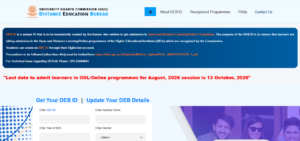
Direct Link to the UGC-DEB Portal
Here are the direct links to generate or update the DEB Unique ID:
| Service | Direct Link |
| UGC DEB ID Creation | Click Here |
| UGC DEB ID Update | Click Here |
What is DEB ID
A DEB ID, also known as a DEB Unique ID, is a mandatory student identification number issued through the University Grants Commission’s Distance Education Bureau (UGC-DEB) portal. DEB ID can be downloaded from UGC DEB students portal. It is required for admission to eligible Open and Distance Learning (ODL) and online programmes in India. Here are key things to note about it:
- Mandatory for admission: Students cannot enrol in covered ODL or online programmes without a valid DEB ID.
- Helps verify programme recognition: It directs students towards institutions and programmes recognised or entitled by the UGC-DEB, helping them avoid unrecognised offerings.
- Valid for future enrolments: The ID remains valid throughout a student’s lifecycle of ODL and online learning, so it does not need to be recreated for every new programme.
- Supports multiple admissions: Students may use the same DEB ID for eligible programmes, including simultaneous enrolment in two academic programmes where permitted under UGC regulations.
How to Create & Download Your DEB ID
Before generating a DEB ID, you must have an ABC ID. Once that pre-requisite has been satisfied, here is how you can proceed:
- Create a valid ABC ID: Visit DigiLocker and create your Academic Bank of Credits (ABC) ID if you do not already have one.
- Visit the UGC-DEB portal: Once the ABC ID is created, go to the official DEB ID creation page.
- Enter your ABC ID and personal details: Provide your ABC ID, Aadhaar name, year of birth and gender. Ensure the details match your official records to avoid invalidation.
- Complete the required fields: Enter the provider name, select the authentication mode and provide the requested authentication and consent details.
- Enter the CAPTCHA: Fill in the CAPTCHA displayed on the portal and proceed.
- Verify your contact details: Enter your email address and mobile number.
- Accept the declaration and submit: Read the declaration, tick the agreement checkbox and submit the form as instructed.
- Save your DEB ID: After successful creation, note down your DEB Unique ID. You can take a screenshot, note it down somewhere or save a PDF to keep the DEB ID handy.
How to Update Your DEB ID
If your DEB ID contains incorrect details, first correct your ABC/APAAR record, then update your DEB ID through the official UGC-DEB portal.
- Open the DEB ID update portal: Visit the official UGC-DEB update page.
- Enter your details: Provide your ABC ID, APAAR name, year of birth and gender.
- Complete the CAPTCHA: Enter the displayed CAPTCHA and click Enter to retrieve your existing details.
- Update your contact information: Review the displayed name, gender and date of birth. Update your email address and mobile number in the available fields, as required.
- Submit the changes: Check all details carefully and click Submit to complete the update.
What to Do If You Forget Your DEB ID
If you forget your DEB ID, visit the official UGC-DEB student portal and use your ABC ID to retrieve your existing DEB ID.
- Visit the UGC-DEB portal: Open the DEB ID student portal.
- Enter your ABC ID: Provide the ABC ID linked to your DEB ID in the designated field.
- Submit the required details: Enter your name as recorded in Aadhaar, year of birth and gender. Complete the CAPTCHA and proceed.
- Check your DEB ID: Review the details displayed by the portal. If your DEB ID has already been created, check the DEB ID field.
- Contact technical support if needed: If you cannot retrieve your ID, contact the UGC-DEB technical support team at 011-23604641 or email update.debid@gmail.com for assistance. Support is available Monday to Friday, 10 AM to 5 PM.
Fields Mentioned in a DEB ID Registration Form
When creating a DEB ID, the following fields will appear in the registration form:
| Field | Details Required |
| ABC ID | Your Academic Bank of Credits ID, created through DigiLocker. |
| Aadhaar Name | Your name as recorded in Aadhaar. |
| Year of Birth | Your year of birth as per your official records. |
| Gender | Select the applicable option from the dropdown. |
| Consent Given By | Indicate whether consent is given by yourself or another person. |
| Provider Name | The name of the person providing consent, not your chosen university. If you select “Self” under “Consent Given By,” your name may be auto-filled.
If you select “Other,” the details relate to the person providing consent. Follow the portal’s instructions for the selected option. |
| Provider Authentication Mode | Select the applicable authentication method. |
| Provider Authentication ID No. | Enter the identification number requested for provider authentication. |
| Consent Relation | Specify the relationship of the person providing consent, where applicable. |
| Consent Place | Enter the place associated with the consent. |
| CAPTCHA | Enter the displayed CAPTCHA to proceed. |
| Email and Mobile Number | Provide your contact details in the designated fields. |
| Declaration | Agree to the declaration regarding recognition status and the precautions listed by UGC-DEB. |
Documents to Keep Handy When Creating a DEB ID
You do not need to upload any document while creating a DEB ID. However, students must keep their Aadhar Card and ABC ID handy while filling the form. Both these documents will provide the necessary information required to fill the form. No other document is required.
Common Errors in Creating DEB ID and How to Fix Them
UGC DEB prescribes the steps to follow/avoid while applying for ODL and online courses. If your DEB ID is showing as invalid or you cannot create it, here are the possible reasons behind it:
| Possible reason | How to fix it |
| Incorrect ABC ID | Check that you have entered the correct ABC ID linked to your APAAR record. |
| Mismatch in name, date of birth or gender | Check your APAAR/ABC record for incorrect details. Get the record corrected through ABC Support or DigiLocker before proceeding. |
| “Response Not Sent” Error | This may be a DEB portal server issue. Wait and retry later. Contact technical support if the error persists. |
| Trailing Spaces in Input Fields | Remove extra spaces from all fields, especially Name and Consent Place, before submitting. |
| ABC/APAR ID and DEB ID Mismatch | If your ABC/APAR ID has incorrect details, raise a ticket at support.abc.gov.in. If correct, email deb-ugc@helpline.inflibnet.ac.in with your student details and APAR PDF. |
| DEB ID has not been created successfully | Visit the DEB ID creation portal, enter your ABC ID and the requested details, and check the status displayed. |
| Persistent technical error | Contact UGC-DEB technical support if the issue continues after checking your details. |
Helplines: Where to Get Help if Your DEB ID Is Still Invalid
If the issue persists, contact the relevant support team:
- ABC ID or APAAR errors: Use the ABC Support Ticket System or DigiLocker. You can also call 1800-889-3511 for assistance.
- DEB ID technical issues: Email update.debid@gmail.com or call 011-23604641. Technical support is available Monday to Friday, 10 AM to 5 PM.
Can I Download DEB ID in PDF Format?
The official UGC-DEB portal provides a way to retrieve your DEB ID, but there is no official PDF download option. However, here’s what you can do if you need one:
- Open the UGC-DEB portal: Visit the DEB ID student page.
- Retrieve your DEB ID: Enter your ABC ID and the requested personal details.
- Check the available options: If the portal displays your DEB ID, check whether it provides a download or print option.
- Save a copy if needed: If no download option is available, you can use your browser’s print function to save the displayed page as a PDF. This is a saved webpage, not an official DEB ID card.
DEB ID vs ABC ID
Although both IDs are required for eligible online and distance education admissions, the ABC ID records academic credits, while the DEB Unique ID identifies students enrolling in UGC-DEB-regulated programmes.
| Basis of Difference | ABC ID | DEB ID |
| Full Form | Academic Bank of Credits ID | Distance Education Bureau ID |
| Purpose | Tracks and facilitates the transfer of academic credits. | Identifies students enrolling in eligible online and distance programmes. |
| Issuing Platform | DigiLocker / ABC portal | UGC-DEB portal |
| When Required | Before creating a DEB ID. | Before admission to eligible ODL and online programmes. |
| DEB ID Creation | Must be created first. | Requires a valid ABC ID. |
| Primary Use | Academic credit management. | Student identification for eligible distance and online education admissions. |
| Can One Replace the Other? | No. | No. |
Can I pursue an online degree without a DEB ID?
For programmes covered by the UGC-DEB requirement, no. The UGC-DEB FAQ explicitly states that students cannot enrol in ODL or online programmes without a valid DEB ID. Before applying, verify the university and programme on the official UGC-DEB website. Do not choose an institution simply because it advertises admission without a DEB ID.
Note: IGNOU has a special regulatory status because it was established by an Act of Parliament. Nevertheless, it still requires creation of DEB ID. Students should follow IGNOU’s current admission instructions rather than assume that its programmes are exempt from the DEB ID requirement.
FAQ
Is DEB ID mandatory for IGNOU admissions?
Yes, creating a DEB ID is mandatory for IGNOU ODL and online admissions. The same applies to any other UGC-approved Online/ODL course and university.
How can I download my DEB ID?
Students can visit the DEB official portal to download their DEB ID (if already existing). For those who haven’t generated one, first create the DEB ID and then simply save the PDF or take a screenshot to keep it handy.
Can we add DEB ID inside DigiLocker?
No, DigiLocker is primarily used to create your ABC ID. You must generate your DEB Unique ID separately through the official UGC-DEB portal.
What is the duration of DEB ID of a student?
A DEB ID remains valid throughout a student’s lifecycle of online and Open and Distance Learning. Students do not need to create a new ID for every programme.
What is the full form of DEB ID?
DEB ID stands for Distance Education Bureau ID. It is a unique identification number required for admission to eligible online and Open and Distance Learning programmes in India.
Are DEB ID and ABC ID the same?
No, ABC ID supports academic credit management, while DEB ID identifies students enrolling in eligible online and distance programmes. You must create an ABC ID before generating DEB ID
Are DEB ID and APAAR ID the same thing?
No, APAAR ID is a permanent academic identity, while DEB ID identifies students enrolling in eligible online and distance education programmes.
Is it mandatory for every student to have a DEB ID?
No, DEB ID is mandatory for students enrolling in covered online and Open and Distance Learning programmes only. Students pursuing degrees in regular modes do not require it.
Can we download DEB ID in PDF format?
The UGC-DEB portal allows students to retrieve their DEB ID, but a dedicated DEB ID Card Download PDF option is not officially available. Students can instead right click on the web page and ‘Save’ it as a PDF. This can be later edited and easily printed.
What if an institution doesn’t ask for my DEB ID?
This is a crucial thing to check. Students must check the institution’s admission instructions and programme recognition status on the official UGC-DEB portal. Do not assume that the DEB ID requirement is waived simply because it was not requested.
Can I use a single DEB ID for multiple courses?
Yes, one DEB ID remains valid throughout your online and distance learning lifecycle. You may pursue two academic programmes simultaneously, subject to applicable UGC regulations.
What if I do not create a DEB ID for online degree admissions?
You cannot enrol in covered online or distance programmes without a valid DEB ID. Create your ABC ID first, then generate your DEB Unique ID through the UGC-DEB portal.