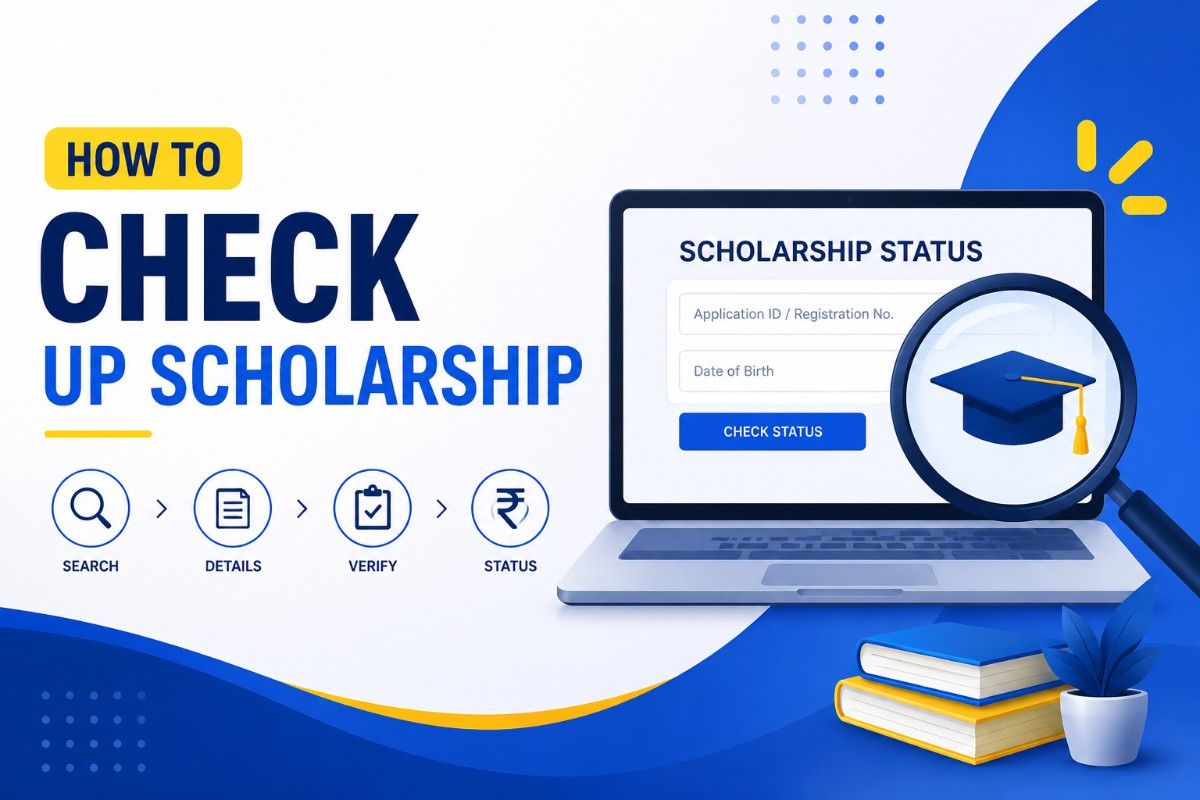
UP Scholarship Status 2026 Kaise Karein? Easy Guide Step by Step & Direct Links
Discover करें कि आप NPS वेबसाइट पर अपनी UP Scholarship status कैसे check कर सकते हैं। प्रक्रिया के लिए आवश्यक प्रमुख personal और application details के बारे में पढ़ें, साथ ही PFMS portal पर payment status check करने के direct links भी प्राप्त करें।
UP Scholarship Status 2026: Step-by-Step Online Checking Guide
To check your NSP application status, follow these steps:
- Step 1: NSP website पर जाएं: https://scholarships.gov.in
- Step 2: Students section में “Student Login” पर click करें.
- Step 3: अपनी details दर्ज करें – Academic Year, Application ID, Password और Captcha.
- Step 4: Login करने के बाद, आपका dashboard दिखाई देगा.
- Step 5: अब “Check Your Status” या “Application Status” पर click करें.
For how to check up scholarship status regarding payment, use these steps for the PFMS portal:
- Step 1: Official National Scholarship Portal पर जाएं.
- Step 2: Homepage पर Student Tab में जाएं.
- Step 3: Track Payment Status पर click करें या PFMS portal पर जाएं.
- Step 4: PFMS पर Bank/Account OR Application ID, Captcha दर्ज करें, फिर Search करें.
- Step 5: Payment status देखने के लिए PFMS dashboard पर “Check Your Status” पर click करें.
Checking your UP scholarship status online requires specific personal and application details, varying slightly between application and payment inquiries.
| Status Type | Required Details |
|---|---|
| Application Status Check | Registration number, Date of birth, Security code (captcha) or Application ID |
| Payment Status Check (PFMS) | Bank name, Bank account number, Captcha code, Mobile number for OTP verification |
PFMS Scholarship Payment Status 2026: Tracking DBT Online
To effectively track your PFMS scholarship payment status for 2026, understanding the various messages is crucial. Public Financial Management System (PFMS) government payments के Direct Benefit Transfer (DBT) को facilitate करता है, और UP scholarship status check करने का तरीका इन updates को समझने पर निर्भर करता है।
| Status Message | Meaning | What You Should Do |
|---|---|---|
| Payment Under Process | Payment approved but still processing | कुछ दिनों तक wait करें |
| Payment Successful | Scholarship amount released | अपना bank account check करें |
| Account Validation Failed | Bank details do not match records | अपने institute से संपर्क करें |
| Payment Rejected | Application not approved | Grievance raise करें |
| Awaiting Approval | Final approval pending | Update का wait करें |
| Sent to PFMS | Payment processing started | 7–10 दिन wait करें |
This table common PFMS payment status messages को स्पष्ट करती है, जिससे beneficiaries scholarship disbursements को प्रभावी ढंग से track कर सकें।
National Scholarship Portal (NSP) Status: Check Application ID 2026
National Scholarship Portal (NSP) पर 2025-26 academic session के लिए UP scholarship status कैसे check करें, यह section essential details देता है। आप अपनी application और payment status को official NSP website या PFMS portal के माध्यम से सीधे track कर सकते हैं, जिससे आप अपनी scholarship journey से updated रहेंगे।
| Detail | Information |
|---|---|
| Portal Name | National Scholarship Portal (NSP) |
| Purpose | Scholarship apply और status track करने के लिए |
| Website | scholarships.gov.in |
| PFMS Payment Check | pfms.nic.in |
| Required Details on the NSP portal | Application ID, Password, Bank Account Number |
| Status Types | Pending, Verified, Approved, Rejected, Payment Sent |
| Payment Time | Approval और verification के बाद |
This overview National Scholarship Portal के core functions को highlight करता है, application tracking से लेकर payment checks तक, और common status types की सूची भी देता है।
| Link Type | URL/Action |
|---|---|
| NSP Application Status | Check Application Status |
| NSP Payment Status through PFMS | Link 1 | Link 2 |
| Official NSP Portal | scholarships.gov.in |
This table application और payment status check करने के direct access points प्रदान करती है, साथ ही convenience के लिए official NSP portal भी देती है।
UP Scholarship 2026: Important Dates for Application & Correction Window
Academic Session 2025-26 के लिए, UP Scholarship online registration और application 10 July 2025 से शुरू होकर 14 January 2026 को बंद होगी। Correction window 10–13 February 2026 के लिए निर्धारित है। ये महत्वपूर्ण dates applicants को process manage करने और UP scholarship status effectively check करने में मदद करती हैं।
| Event | Start Date | End Date |
|---|---|---|
| Preparation of master data by the educational institution | July 07, 2025 | January 02, 2026 |
| Verification of fees by the University | July 08, 2025 | January 09, 2026 |
| Master Data Verification | July 09, 2025 | January 15, 2026 |
| Marking of private educational institutions registered on the NSP portal for minority communities | July 10, 2025 | February 22, 2026 |
| Registration / Online Application by Student | July 10, 2025 | January 14, 2026 |
| Final printout by the student | July 12, 2025 | January 17, 2026 |
| Submission of hard copy along with attachments by students to the educational institution | July 02, 2025 | January 21, 2026 |
| Online verification and forwarding of application forms by educational institutions (Initial Step) | July 11, 2025 | December 10, 2025 |
| Verification of genuine students and blocking of ineligible students, courses and institutions by the University/Affiliating Agency (Phase 1) | December 11, 2025 | December 22, 2025 |
| Scrutiny by NIC (First Phase) | December 11, 2025 | December 26, 2025 |
| Locking of pure data by District Committee (First Phase) | December 26, 2025 | January 10, 2026 |
| Demand Creation (Phase 1) | January 15, 2026 | |
| Transfer of Funds (Phase 1) | January 24, 2026 | |
| Online verification and forwarding of application form by educational institution (Second Step) | December 11, 2025 | January 27, 2026 |
| Verification of genuine students and blocking of ineligible students, courses and institutions by the University | January 28, 2026 | February 07, 2026 |
| Scrutiny by NIC (Phase II) | January 28, 2026 | February 09, 2026 |
| Correction Window | February 10, 2026 | February 13, 2026 |
| Students submit corrected application to school and get it forwarded by the institution | February 18, 2026 | |
| Re-scrutiny by NIC | February 19, 2026 | February 27, 2026 |
| Locking of pure data by the District Committee (Phase II) | March 10, 2026 | |
| Demand Creation (Phase II) | March 13, 2026 | |
| Transfer of Funds (Phase II) | March 18, 2026 |
This comprehensive table UP Scholarship 2025-26 की full timeline को outline करती है, initial data preparation से लेकर student applications, verification stages, और final fund transfers तक।
People Also Read


Understanding UP Scholarship Status Messages: What Each Update Means
UP scholarship status messages को समझना application progress track करने के लिए crucial है। हर update यह बताता है कि आपका form submitted है, under review है, या funds disburse हो रहे हैं। प्रत्येक status का अर्थ जानने से आप UP scholarship status को effectively check कर सकते हैं और issues पर prompt response दे सकते हैं।
- Application Submitted: आपका form सफलतापूर्वक submit हो गया है।
- Under Verification / Pending Verification: Authorities documents की जांच कर रही हैं; application review में है।
- Approved: आपकी scholarship accept हो गई है।
- Approved/Disbursed: Application verified, accepted, eligible; amount bank में transfer हो गया है।
- Rejected: गलत जानकारी या missing documents जैसी समस्याओं के कारण approval नहीं मिला।
- Payment Sent / Disbursed: Funds credit हो चुके हैं।
Beyond core statuses, ‘Processing under Bank’ का मतलब है कि funds handling में हैं। अगर application rejected हो, तो सामान्य कारण गलत documents, bank mismatch, या income certificate issues हो सकते हैं। Reason check करें, यदि correction window खुली हो तो errors ठीक करें, और अनुमति होने पर दोबारा apply करें। Typical timelines समझने से expectations manage करने में मदद मिलती है।
| Detail | Information |
|---|---|
| Time for Verification Update | 1 to 2 months |
| Time for Approval Update | Upon verification by an institution |
| Time for Payment Release Update | 1-3 months after approval |
| Time for funds to reach bank after ‘Disbursed’ status | 10 to 15 days |
| Causes for Delays in Status Updates | Documents that are not in order or approval of budgets |
Common Issues Checking Scholarship Status & Troubleshooting Tips 2026
Common issues और UP scholarship status check करने का सही तरीका जानना timely payments के लिए crucial है। कई delays या rejections incomplete applications या incorrect bank details से होते हैं। यह section 2026 में scholarship process को effectively navigate करने के लिए essential troubleshooting tips देता है और various status messages को स्पष्ट करता है।
- Incomplete applications: आवश्यक जानकारी या documents missing हैं।
- Missing correction windows: Errors समय पर correct नहीं किए गए।
- Wrong bank details: Account numbers या IFSC codes गलत हैं।
- Unverified documents: Submitted documents properly verified नहीं हैं।
- Aadhaar and bank mismatch: Records के बीच information match नहीं कर रही।
- Inactive/closed bank account: ऐसे accounts में funds credit नहीं हो सकते।
These common issues meticulous application submission और regular status checks के महत्व को highlight करते हैं। इन्हें समय पर address करने से significant delays या scholarship rejection से बचा जा सकता है।
- General Application Errors: नियमित रूप से status check करें; open windows के दौरान errors correct करें।
- Preventing Delays: सभी documents दोबारा जांचें; अपना active bank account उपयोग करें।
- Delayed Payment: Portal, PFMS, Aadhaar link check करें; administration या helpline से संपर्क करें।
- ‘Defective’ Status: NSP में login करें, deadline से पहले सही document (max 200KB) re-upload करें।
- ‘Approved But Money Not Received’: Aadhaar-bank linking और account activity verify करें।
- Missing Application ID: Email account जांचें या scholarship helpdesk से संपर्क करें।
To further understand your application’s journey, scholarship portal और PFMS पर different status messages का अर्थ जानना essential है।
| Status | Meaning | Action Required |
|---|---|---|
| Submitted | Application submitted, not verified by institute | Wait or contact college if delayed |
| Institute Verified | College verified your details | Wait for next stage |
| Pending at SNO | Under State Nodal Officer review | Normal wait (2–6 weeks) |
| Sanctioned / Approved | Scholarship approved | Track payment on PFMS |
| Sent to PFMS | Payment sent for processing | Check PFMS portal |
| Defective | Error in application/document | Fix immediately |
| Rejected | Application rejected | Check reason and reapply if possible |
This table विभिन्न NSP application statuses का meaning स्पष्ट करती है, जिससे applicants को पता चलता है कि कब wait करना है और कब action लेना है।
| Message | Meaning |
|---|---|
| Processing | The authorities are still processing the scholarship payment request. |
| Processing Under Bank | The payment file has been sent to the bank, and the amount will be credited soon. |
| Disbursed | The scholarship amount has been released by the government and will reach the student’s bank account shortly. |
| Record Not Found | The payment data has not yet been updated on the PFMS portal. |
The PFMS payment statuses indicate the current stage of your scholarship fund processing, from initial processing to disbursement.
- NSP Helpline: 0120-6619540 (8 AM – 8 PM).
- Typical Verification Time: 1 to 2 months.
- Typical Payment Release: 1-3 months after approval.
- Funds After ‘Disbursed’: Within 10 to 15 days.
- NSP ‘Pending at SNO’: Review time is 2–6 weeks.
- ‘Not Verified’ Status: Application is in process at district, school, or state level.
For UP Scholarship applicants, specific timelines are expected for the 2026 payment cycle, reflecting on PFMS.
| Process | Expected Timeline |
|---|---|
| Application Verification | February – March 2026 |
| Payment File Generation | Early March 2026 |
| PFMS Payment Processing | 10 March 2026 |
| Scholarship Disbursement | 10–18 March 2026 |
| Bank Credit | Within 10–15 days |
These dates UP Scholarship application verification, payment processing, and final disbursement in 2026 के expected schedule को outline करती हैं।
Frequently Asked Questions
How do I check my UP Scholarship status online?
आप अपना UP Scholarship status online scholarship.up.gov.in पर check कर सकते हैं। Portal application, verification, और payment status के साथ bank transfer details भी दिखाता है।
What are the steps to check UP Scholarship payment status on PFMS?
Students 2026 के लिए PFMS portal पर online अपनी UP Scholarship payment status track कर सकते हैं, जिसमें March DBT payments भी शामिल हैं।
How can I track my UP Scholarship application status?
अपनी UP Scholarship status for 2025-26 को scholarship.up.gov.in पर registration number का उपयोग करके track करें। Payment status भी PFMS के माध्यम से check किया जा सकता है।
What is how to check up scholarship status?
Scholarship status check करने में application completeness verify करना शामिल है ताकि correction windows miss न हों। Payment के लिए PFMS जैसे systems में bank details या application ID का उपयोग करें, या UP Scholarship 2026 site जैसे specific portals देखें।
What are the eligibility requirements for how to check up scholarship status?
Uttar Pradesh Scholarship के applicants, जिनमें General, OBC, SC, ST, और minority communities शामिल हैं, scholarship.up.gov.in पर अपना status check कर सकते हैं।
How do I apply for how to check up scholarship status?
UP Scholarship status 2026 check करने के लिए scholarship.up.gov.in पर जाएं और applicant login section का उपयोग करें। आप देख सकते हैं कि आपकी application Approved/Disbursed है या Rejected।