CCSU Result 2026: Check CCS University Meerut Odd/Even Sem, NEP & Private Results at result.ccsuniversityweb.in
Chaudhary Charan Singh University (CCSU), Meerut releases all NEP-2020 semester results, annual private/regular marksheets, professional course outcomes, and back-paper declarations on its official examination portal at result.ccsuniversityweb.in. Students from affiliated colleges across Meerut, Ghaziabad, Noida (Gautam Buddha Nagar), Baghpat, Hapur, and Bulandshahr can download their provisional scorecards using their Roll Number or Enrollment Number.
CCSU Result 2026: Stream-Wise Notification Status & Direct Links
CCS University publishes results across four separate portal links depending on whether your programme follows the NEP Semester system, Traditional Annual/Professional system, or Odd/Even campus pattern. Select the exact category below:
| Programme & Examination Stream | Semester / Year | 2026 Declaration Status | Portal Section to Select | Direct Official Link |
|---|---|---|---|---|
| UG NEP Semester (BA, B.Sc, B.Com) | 2nd, 4th & 6th Sem (Even) / 1st, 3rd, 5th Sem (Odd) | Declared (College-Wise Roll Lists Live) | NEP Result (Odd / Even) | Check NEP Result |
| Professional Semester (BBA, BCA, LLB 3-Yr, BA LLB 5-Yr, B.Com LLB) | 2nd, 4th, 6th, 8th & 10th Semester | Declared (Remaining Detained Colleges Updated) | Regular / Private / Professional | Check Professional Result |
| Annual Private Courses (BA, B.Com, MA, M.Com Private) | 1st Year, 2nd Year & Final Year | Declared | Regular / Private / Professional | Check Private Result |
| PG Semester (MA, M.Sc, M.Com, M.Sc Ag — NEP & CBCS) | 2nd & 4th Semester | Declared | Odd / Even Semester Result | Check PG Result |
| B.Ed, M.Ed, B.P.Ed & Allied Health / Nursing | 1st Year & 2nd Year / Semester | Declared (Code-Wise Updates Active) | Regular / Private / Professional | Check B.Ed / Education |
| B.Sc Agriculture (Hons.) & B.Tech (SCRIET Campus) | Even & Odd Semesters (Sem II–VIII) | Declared | Odd / Even Semester Result | Check Ag / B.Tech |
| Back Paper, Special Back & Challenge Evaluation Results | UG, PG & Professional (2025–26 Cycle) | Declared in Phases (Sept–Oct 2026) | Declared Result Notice | View Result Notices |
| Odd Semester 2026–27 Examinations (1st, 3rd, 5th Sem) | Nov–Dec 2026 Session | Exam Forms & Schedule Active | Examination Portal | View Exam Schedule |
Why CCSU Results Show “Detained College Codes” or Withheld Status
When CCS University publishes a result notification on result.ccsuniversityweb.in, it lists a column titled Detained College Codes next to each course and semester. If your 3-digit or 4-digit college code appears in that column, your college has not yet transmitted internal assessment or practical marks to the university examination cell. Once the college uploads the pending internal marks, CCSU releases a supplementary notice (“Remaining College Codes Declared”) and activates those roll numbers on the same portal within 7–14 days.
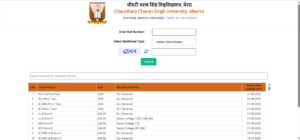
CCS University Result 2026 – Quick Highlights
| Particulars | Details |
|---|---|
| University Name | Chaudhary Charan Singh University, Meerut |
| Commonly Known As | CCS University / CCSU Meerut |
| State | Uttar Pradesh |
| Result Portal | results.ccsuniversity.ac.in
https://result.ccsuniversityweb.in/ |
| Credentials Required | Roll Number + Date of Birth |
| Exam Pattern | Semester System (NEP 2020) |
| Official Website | www.ccsuniversity.ac.in |
CCS University Results 2026 – All Courses
CCS University has released the 2025-2026 results for all UG, PG, and professional courses online for student access.
Undergraduate (UG) Results
| Course | Semester/Year | Exam Session | Result Link |
|---|---|---|---|
| BA / BA (NEP) / BAJMC | Sem III, V | Dec 2025 | Check Result |
| BSc / BSc (NEP) / B.Sc (Ag) Hons | Sem III, V, VII | Dec 2025 | Check Result |
| BCom / BCom (NEP) | Sem III, V | Dec 2025 | Check Result |
| BBA | Sem III, V | Dec 2025 | Check Result |
| BCA | Sem III, V | Dec 2025 | Check Result |
| LLB / BA LLB / BCom LLB | Sem III, V, VII, IX | Dec 2025 | Check Result |
| BA | Semester I, II, III, IV, V, VI | 2024-25 | Check Result |
| BSc | Semester I, II, III, IV, V, VI | 2024-25 | Check Result |
| BCom | Semester I, II, III, IV, V, VI | 2024-25 | Check Result |
| BBA | Semester I to VI | 2024-25 | Check Result |
| BCA | Semester I to VI | 2024-25 | Check Result |
| LLB | Semester I to VI | 2024-25 | Check Result |
| B.Ed | Year I and II | 2024-25 | Check Result |
Postgraduate (PG) Results
| Course | Semester/Year | Exam Session | Result Link |
|---|---|---|---|
| MA / MA (NEP) | Sem I, III | Dec 2025 | Check Result |
| MSc / MSc (NEP) / MSc (Ag) | Sem I, III | Dec 2025 | Check Result |
| MCom / MCom (NEP) | Sem I, III | Dec 2025 | Check Result |
| LLM | Sem I, III | Dec 2025 | Check Result |
| MA | Previous / Final Year | 2024-25 | Check Result |
| MSc | Previous / Final Year | 2024-25 | Check Result |
| MCom | Previous / Final Year | 2024-25 | Check Result |
| MBA | Semester I to IV | 2024-25 | Check Result |
| MCA | Semester I to IV | 2024-25 | Check Result |
| LLM | Year I and II | 2024-25 | Check Result |
Back Paper and Improvement Results
| Category | Applicable Courses | Result Link |
|---|---|---|
| Back Paper Results | All UG and PG Courses | Check Result |
| Improvement Results | All UG and PG Courses | Check Result |
| Carry Over Results | Semester System Courses | Check Result |
How to Check CCS University Result?
Here’s a clear step-by-step guide on how to check CCS University results:
- Visit the official result portal: results.ccsuniversity.ac.in
- Select your course (BA, BSc, BCom, MA, MSc, etc.)
- Choose the semester or year
- Enter your Roll Number as printed on admit card
- Enter Date of Birth in DD/MM/YYYY format
- Click on Submit button
- Your result will display on screen
- Download or print the result for future reference
Key Details Mentioned on CCS University Marksheet
| Field | Description |
|---|---|
| Student Name | Name as per university enrollment records |
| Father’s Name | As per admission form |
| Roll Number | University examination roll number |
| Enrollment Number | Permanent university enrollment number |
| Course Name | Program and specialization |
| Semester/Year | Current examination level |
| Subject-wise Marks | Theory and practical marks for each subject |
| Total Marks | Aggregate marks obtained |
| Percentage/CGPA | Overall percentage or cumulative grade point |
| Result Status | Pass / Fail / Compartment / Absent |
CCS University Grading System
| Grade | Grade Point | Percentage Range | Description |
|---|---|---|---|
| O | 10 | 90% and above | Outstanding |
| A+ | 9 | 80% to 89% | Excellent |
| A | 8 | 70% to 79% | Very Good |
| B+ | 7 | 60% to 69% | Good |
| B | 6 | 50% to 59% | Above Average |
| C | 5 | 40% to 49% | Average |
| P | 4 | 33% to 39% | Pass |
| F | 0 | Below 33% | Fail |
CCS University Revaluation Process
| Particulars | Details |
|---|---|
| Application Mode | Online through university portal |
| Revaluation Fee | Rs. 500 to Rs. 1000 per subject (approximately) |
| Application Deadline | Within 15-20 days of result declaration |
| Required Documents | Result printout, fee receipt |
| Result Timeline | 4-6 weeks after application |
| Apply At | www.ccsuniversity.ac.in |
Steps to Apply for Revaluation
- Visit the official CCS University website
- Navigate to Examination section
- Find Revaluation/Rechecking application form
- Fill in roll number and select subjects for revaluation
- Pay the revaluation fee online
- Submit the application and save the receipt
- Track revaluation result status online
CCS University Important Links
| Purpose | Link |
|---|---|
| Result Portal | results.ccsuniversity.ac.in |
| Official Website | www.ccsuniversity.ac.in |
| Examination Section | ccsuniversity.ac.in/examination |
| Admit Card Download | University Portal |
| DigiLocker Marksheet | digilocker.gov.in |
| Student Grievance | University Portal |
CCS University Contact Information
| Contact Type | Details |
|---|---|
| Address | Chaudhary Charan Singh University, Meerut – 250004, Uttar Pradesh |
| Phone | 0121-2763539 |
| exam@ccsuniversity.ac.in | |
| Website | www.ccsuniversity.ac.in |
Frequently Asked Questions (FAQs)
1. How to check CCS University results?
To check your CCS University results, visit the official portal at results.ccsuniversity.ac.in, select your course and semester, enter your roll number and date of birth accurately, then click submit to view and download your result instantly.
2. What are the latest CCSU results announced on the portal?
The latest CCSU results announcement came on 23rd August 2026 and include M.Com and M.A. Private I Year, B.Com and B.A. Private I Year, along with LLB, BBA and BCA semester results declared in August 2026.
3. What if my roll number is not found on the result portal?
If your roll number is not found, ensure you have selected the correct exam session, course, and semester. If the problem continues, contact your college examination cell or CCS University’s exam department at 0121-2763539 for assistance.
4. What is the minimum passing marks in CCS University?
Students must secure at least 33% marks in each subject and a 33% overall aggregate to pass. For practical or lab-based subjects, separate passing criteria may apply as per the university examination regulations.
5. How to apply for CCS University revaluation?
Revaluation applications can be submitted online through the university website within 15–20 days of result declaration. Pay the required fee per subject (approx. Rs. 500–1000). Revaluation results are usually released within 4–6 weeks.
6. When will CCS University original marksheet be available?
Original marksheets are typically issued 2–3 months after result declaration and can be collected from your college. Meanwhile, provisional marksheets are available for download immediately from the university’s official result portal for temporary use.
7. How to get CCS University marksheet on DigiLocker?
To access your marksheet on DigiLocker, register at digilocker.gov.in using your Aadhaar number, link your CCS University documents under the education category, and retrieve them securely using your roll number and date of birth.
8. What does compartment mean in CCS University result?
A compartment indicates you failed in one or more subjects but can appear for a back paper exam while continuing to the next semester. Compartment subjects must be cleared within the university-specified time limit to progress academically.
{
“@context”: “https://schema.org”,
“@type”: “FAQPage”,
“mainEntity”: [
{
“@type”: “Question”,
“name”: “How to check CCS University results?”,
“acceptedAnswer”: {
“@type”: “Answer”,
“text”: “To check your CCS University results, visit the official portal at results.ccsuniversity.ac.in , select your course and semester, enter your roll number and date of birth accurately, then click submit to view and download your result instantly.”
}
},
{
“@type”: “Question”,
“name”: “What are the latest CCSU results announced on the portal?”,
“acceptedAnswer”: {
“@type”: “Answer”,
“text”: “The latest CCSU results announcement came on 23rd August 2026 and include M.Com and M.A. Private I Year, B.Com and B.A. Private I Year, along with LLB, BBA and BCA semester results declared in August 2026.”
}
},
{
“@type”: “Question”,
“name”: “What if my roll number is not found on the result portal?”,
“acceptedAnswer”: {
“@type”: “Answer”,
“text”: “If your roll number is not found, ensure you have selected the correct exam session, course, and semester . If the problem continues, contact your college examination cell or CCS University’s exam department at 0121-2763539 for assistance.”
}
},
{
“@type”: “Question”,
“name”: “What is the minimum passing marks in CCS University?”,
“acceptedAnswer”: {
“@type”: “Answer”,
“text”: “Students must secure at least 33% marks in each subject and a 33% overall aggregate to pass. For practical or lab-based subjects, separate passing criteria may apply as per the university examination regulations.”
}
},
{
“@type”: “Question”,
“name”: “How to apply for CCS University revaluation?”,
“acceptedAnswer”: {
“@type”: “Answer”,
“text”: “Revaluation applications can be submitted online through the university website within 15–20 days of result declaration. Pay the required fee per subject (approx. Rs. 500–1000 ). Revaluation results are usually released within 4–6 weeks .”
}
},
{
“@type”: “Question”,
“name”: “When will CCS University original marksheet be available?”,
“acceptedAnswer”: {
“@type”: “Answer”,
“text”: “Original marksheets are typically issued 2–3 months after result declaration and can be collected from your college. Meanwhile, provisional marksheets are available for download immediately from the university’s official result portal for temporary use.”
}
},
{
“@type”: “Question”,
“name”: “How to get CCS University marksheet on DigiLocker?”,
“acceptedAnswer”: {
“@type”: “Answer”,
“text”: “To access your marksheet on DigiLocker, register at digilocker.gov.in using your Aadhaar number, link your CCS University documents under the education category , and retrieve them securely using your roll number and date of birth .”
}
},
{
“@type”: “Question”,
“name”: “What does compartment mean in CCS University result?”,
“acceptedAnswer”: {
“@type”: “Answer”,
“text”: “A compartment indicates you failed in one or more subjects but can appear for a back paper exam while continuing to the next semester. Compartment subjects must be cleared within the university-specified time limit to progress academically.”
}
}
]
}