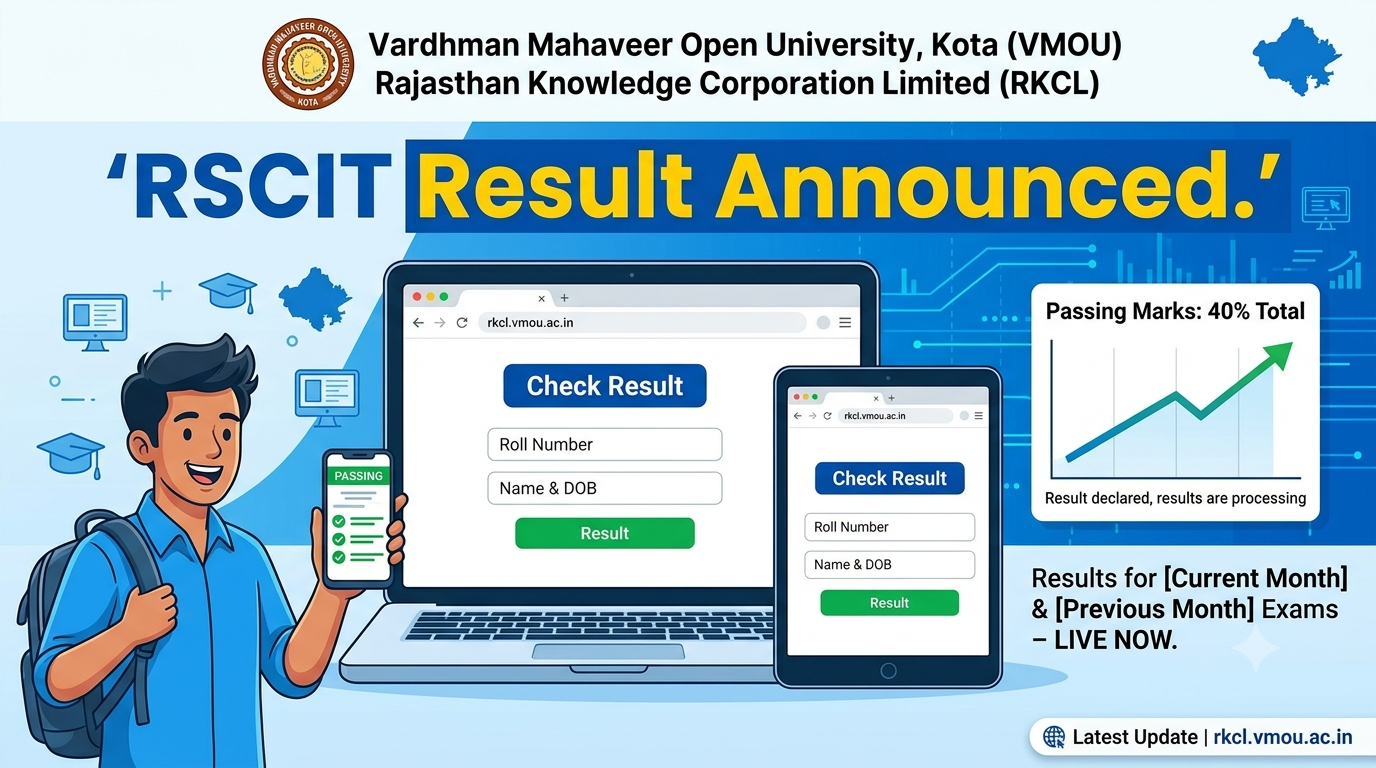
RSCIT Result Out: Check VMOU RKCL Scorecard Online at rkcl.vmou.ac.in Using Name or Roll Number
The wait is officially over for thousands of computer literacy aspirants across Rajasthan! Vardhman Mahaveer Open University (VMOU), Kota, in collaboration with the Rajasthan Knowledge Corporation Limited (RKCL), has formally declared the RSCIT Exam Results.
If you recently sat for this highly popular state-level IT examination to boost your career prospects, your hard work has finally culminated in this moment. The evaluation process is fully complete, and the official result links are active on the university’s dedicated web server. Candidates who have been eagerly tracking updates can now immediately access their individual scorecards online to verify their qualifying status, total marks obtained, and final percentages.
RSCIT Result: Quick Overview
Before checking your individual result, here is a quick snapshot of the examination details:
| Key Detail | Information |
| Exam Conducting Body | Vardhman Mahaveer Open University (VMOU), Kota |
| Course Provider | Rajasthan Knowledge Corporation Limited (RKCL) |
| Exam Mode | Offline (OMR-based) |
| Official Result Portal | rkcl.vmou.ac.in |
| Required Credentials | Roll Number OR Name and Date of Birth |
How to Check Your RSCIT Result Online
Checking your result on the official website is simple and takes less than two minutes. You do not need to visit your computer center; simply follow these steps:
Method 1: Check Using Your Roll Number
If you have your admit card handy, checking via roll number is the fastest method:
-
Go to the official VMOU RKCL result portal: rkcl.vmou.ac.in.
-
From the list, locate your specific exam date and click on View Result.
-
Select your District from the dropdown menu.
-
Choose the option Search by Roll No..
-
Enter your roll number and click Submit.
-
Your scorecard will display on the screen. Save or print it for future reference.
Method 2: Check by Name and Date of Birth (No Roll Number)
Misplaced your admit card? Don’t worry! You can easily check your score using your personal details:
-
Visit the portal at rkcl.vmou.ac.in.
-
Click on View Result next to your exam date.
-
Select your District.
-
Select the Search by Name & DOB option.
-
Fill in your full name (exactly as spelled in your application) and your Date of Birth.
-
Click Search to view and download your digital scorecard.
Understanding the Passing Criteria
The RSCIT exam scorecard evaluates you on both internal assessments and a written theoretical exam. To be declared “Pass,” you must meet the individual passing marks for both sections:
-
Written Theory Exam: The written test consists of 35 multiple-choice questions worth a total of 70 marks. There is no negative marking. You must secure a minimum of 28 marks (meaning you must get at least 14 questions correct) to qualify.
-
Internal Assessment: This is conducted at your local IT Gyan Kendra (ITGK) and carries 30 marks. You must secure a minimum of 12 marks here.
-
Overall: To clear the RSCIT course, you need to score at least 40% marks overall across both components combined.
What Should You Do Next?
If you have successfully passed, congratulations! The RSCIT certificate is highly valued and acts as a mandatory eligibility requirement for several Rajasthan government jobs (such as LDC, Patwari, Gram Sevak, and Rajasthan Police posts).
You can expect VMOU to dispatch your printed, physical certificate to your registered IT Gyan Kendra within a few weeks. Additionally, your digital certificate will be uploaded to your NAD DigiLocker account for quick, paperless verification.
Quick Tip: If you encounter a “Result Withheld” or “No Record Found” error on the portal, it usually means your internal assessment marks from your center are still being processed. Reach out directly to your registered computer institute to get it resolved quickly.
Double-check your name spelling on the online scorecard. If there are any spelling errors, raise a correction request with VMOU Kota through your center immediately!


Further reading
📰 More Education News
- NCERT online diploma course registration opens for science teachers; apply by November 12Oct 12, 2026 • Nishit Kumar
- Tamil Nadu NEET 2026 round 3 result out: report to colleges by 15 OctoberOct 12, 2026 • Nishit Kumar
- WBJEE 2027 eligibility criteria expected soon for engineering, pharmacy, architecture coursesOct 12, 2026 • Nishit Kumar
- UKSEE: Apply for MBA/MCA admissions at IMS RoorkeeOct 12, 2026 • Nishit Kumar