GATE 2027: Register by Sep 27; update DigiLocker, photo, signature
In short
- The regular registration window for GATE 2027 closes today, September 27, 2026, with an extended deadline of October 5, 2026, for late fee applications.
- Indian Nationals must create and update a DigiLocker account, verifying name and birth date against Class X and degree records for GATE 2027 registration.
- Candidates are required to upload a recent passport-size photograph (max 600KB, 530×690 pixels) and a scanned signature (max 300KB, 580×180 pixels).
- A new Robotics and Automation paper has been introduced for GATE 2027, which will be held on February 6, 7, 13, 14, 20, and 21, 2027.
- The application fee is INR 1000 for female, SC, ST, and PwD candidates, and INR 2000 for all others during the regular period.
The Indian Institute of Technology Madras (IIT Madras) has issued a detailed list of mandatory documents and updated procedural requirements for the Graduate Aptitude Test in Engineering (GATE) 2027 registration. Today, September 27, 2026, marks the closing of the regular registration period, with an extended deadline of October 5, 2026, available for candidates willing to pay a late fee.
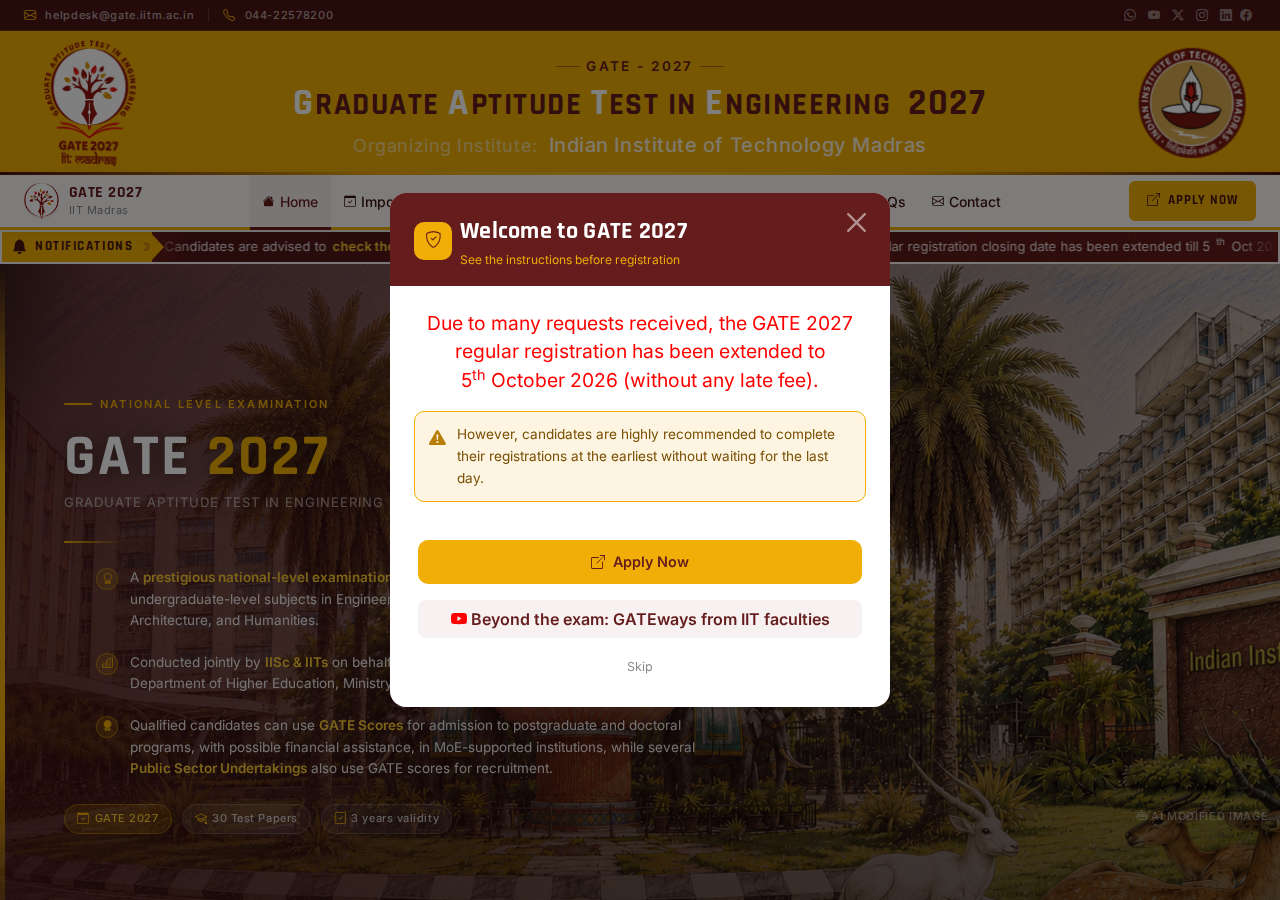
These updates, available on the official portal gate2027.iitm.ac.in, aim to make easier the application process and enhance security, notably through the introduction of mandatory DigiLocker verification and live photograph capture. The GATE 2027 examination is scheduled across six dates in February 2027.
Mandatory Digilocker Verification and Document Specifications
For GATE 2027, Indian Nationals are required to create and update a DigiLocker account. This process involves e-KYC verification, where candidates must ensure their name and birth date match their Class X and degree records. While EWS or OBC-NCL proofs are not needed for DigiLocker e-KYC, SC, ST, and PwD certificates are necessary if applicable.
Candidates must upload a recent passport-size photograph, not older than three months, with specific dimensions and file size. A scanned signature, made with a black pen on a blank white background, is also required. In addition, a live photograph may be taken during registration, necessitating a computer with a webcam or a smartphone with at least a 5 MP camera for facial detail verification.
| Specification | Value |
|---|---|
| Maximum size | 600KB |
| Maximum dimensions | 530 × 690 pixels |
| Specification | Value |
|---|---|
| Maximum file size | 300 KB |
| Size | 580 × 180 px |
GATE 2027 Registration Schedule and Fees
The registration for GATE 2027 commenced on August 27, 2026, with the regular fee period concluding today, September 27, 2026. Candidates who miss this deadline can still register until October 5, 2026, by paying an extended fee. A correction window for submitted application forms is scheduled from October 14 to October 21, 2026, where minor edits are free, but major changes incur a cost.
The application fee varies by category and registration period. Female, SC, ST, and PwD candidates pay INR 1000 during the regular period, which increases to INR 1500 during the extended period. All other candidates, including foreign nationals, are charged INR 2000 for regular registration and INR 2500 for extended registration. The application form is only accepted upon successful fee payment, which can be made online via UPI, netbanking, and cards.
| Event | Revised Dates |
|---|---|
| Opening of GATE GOAPS for registration | September 2, 2026 |
| Closing of GATE GOAPS for registration (with regular fees) | September 27, 2026 |
| Closing of GATE application form window (with extended fees) | October 5, 2026 |
| Category | Regular Period | Extended Period |
|---|---|---|
| Female/SC/ST/PwD category | INR 1000 | INR 1500 |
| All other candidates including foreign nationals | INR 2000 | INR 2500 |
Eligibility, Examination Structure, and New Papers
Students in their third year or above of any approved program are eligible to apply for GATE 2027. There is no age limit, and candidates can make unlimited attempts. The GATE 2027 examination will be conducted on February 6, 7, 13, 14, 20, and 21, 2027. The scorecard remains valid for three years, supporting admissions to higher education and public sector undertaking (PSU) hiring through 2027 to 2030.
Candidates can apply for one or two papers from the 30 papers offered in GATE 2027, subject to permitted combinations. A new Robotics and Automation paper has been introduced for this edition, reflecting a stronger interdisciplinary focus. Applicants must select six cities from one zone for their examination preferences.
Steps for GATE 2027 Application
The application process for GATE 2027 is entirely online and begins with registering on the GATE Online Application Processing System (GOAPS) at gate2027.iitm.ac.in. After registration, candidates must verify their registered email address. A mandatory step for Indian Nationals involves completing DigiLocker e-KYC, which requires verifying that the candidate’s name and birth date match their Class X and degree records.
Following DigiLocker verification, applicants need to accurately fill in their personal and academic details. They must then choose their preferred examination papers, selecting one or two from the 30 papers offered, subject to permitted combinations, and indicate six cities from one zone for examination preferences. The process also requires uploading a scanned passport-size photograph and signature according to specified dimensions and file sizes. Candidates must preview the application form for errors, pay the application fee online via UPI, netbanking, or cards, and finally download and save the confirmation PDF for future reference.
- Register on GOAPS (GATE Online Application Processing System) at gate2027.iitm.ac.in.
- Verify the registered email address.
- Complete DigiLocker e-KYC by verifying name and birth date against Class X and degree records.
- Fill in personal and academic details accurately.
- Choose preferred examination papers and city preferences.
- Upload the scanned photograph and signature according to the specified dimensions and file sizes.
- Preview the application form to check for any errors.
- Pay the application fee online.
- Download and save the confirmation PDF for future reference.
Further reading

📰 More Education News
- GATE 2027: Apply from August 27; no age or attempt limitSep 28, 2026 • Nishit Kumar
- GATE 2027 application form correction opens October 14: what can be editedSep 28, 2026 • Nishit Kumar
- TG LAWCET round 3 allotment list out: report to colleges by 29 September 2026Sep 28, 2026 • Nishit Kumar
- Assam class 12 half yearly English exam 2026-27 underway, question papers to be available soonSep 28, 2026 • Nishit Kumar