When Will CSIR NET Answer Key Be Released? Expected Date, Download Link, and Latest Updates
The National Testing Agency (NTA) has successfully conducted the Joint CSIR UGC NET June 2026 examination on 17th and 18th July 2026. NTA is expected to soon release the CSIR NET provisional answer key on the official portal at csirnet.nta.nic.in. Experts expect the CSIR NET 2026 provisional answer key to be out in third week of August. With the completion of the Computer-Based Test (CBT) mode exam, candidates who appeared for Junior Research Fellowship (JRF), Assistant Professor eligibility, and Ph.D. admissions are now awaiting the official provisional answer key release.
The provisional answer key allows candidates to cross-verify their submitted options against the official answers provided by NTA subject experts. Below is a comprehensive breakdown of the expected release date, direct login links, objection submission process, response sheets, and final result timelines.
CSIR NET Answer Key 2026 Release Date (Expected)
Historically, NTA releases the provisional answer key within 5 to 10 days after completing the Computer-Based Test. Since the CSIR NET June 2026 exam took place on July 17 and July 18, 2026, the provisional key is expected to be published by late July or early August 2026.
| Event Parameter | Details |
| Exam Conducting Body | National Testing Agency (NTA) |
| Exam Name | Joint CSIR UGC NET June 2026 |
| Exam Dates | July 17 & July 18, 2026 |
| Provisional Answer Key Date | Late July / Early August 2026 (Expected) |
| Objection Window Duration | 2 to 3 days after release |
| Final Answer Key Date | Mid-August 2026 (Expected) |
| Declaration of Results | Third Week of August 2026 (Expected) |
Where Will the CSIR NET Answer Key Be Released?
NTA publishes the CSIR NET answer key online on its dedicated portal. Candidates can log in to view and download their respective subject-wise question papers and keys.
- Official Website: csirnet.nta.ac.in
- Secondary Portal: nta.ac.in
How to Download the CSIR NET Answer Key 2026?
Follow these steps to access your CSIR NET 2026 answer key and response sheet:
- Visit the Official Portal: Navigate to https://csirnet.nta.nic.in/.
- Locate the Link: Click on the active link titled “CSIR NET June 2026 Answer Key / Response Sheet” on the homepage.
- Select Login Option: Choose to log in using either Application Number & Password or Application Number & Date of Birth.
- Enter Credentials: Type in your credentials along with the security pin displayed on the screen.
- View & Download: Click on the “View Answer Key / Question Paper” tab, download the PDF, and save it for score estimation.
People Also Read




CSIR NET Answer Key 2026: Details Mentioned
Once you download the answer key PDF and candidate response portal page, verify the following details:
- Candidate Name and Roll Number
- Application Number
- Exam Date and Shift Timing
- Subject Code and Subject Name
- Question ID
- Option IDs for all four choices
- Correct Option ID (designated by NTA)
- Candidate’s Selected Option ID
CSIR NET Answer Key Objection Window 2026
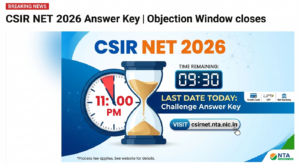
NTA opens an objection window immediately after releasing the provisional key. The window typically remains active for 2 to 3 days.
- Candidates must submit challenges online through the candidate portal.
- A fee of ₹200 per question challenged must be paid online via debit card, credit card, or net banking.
- Objections submitted without supporting academic evidence or fee payment will not be reviewed by the panel.
- If the panel accepts a challenge, the processing fee for that specific question is refunded to the candidate.
How to Challenge the CSIR NET Answer Key?
If you spot an incorrect answer in the official key, raise a challenge using the following steps:
- Log in to Portal: Access your profile on https://csirnet.nta.nic.in/ using your credentials.
- Click Challenge Link: Select the “Challenge Answer Key” link.
- Select Question ID: The screen displays Question IDs sequentially. Select the Question ID you wish to challenge.
- Choose Correct Option: Tick the Option ID that you claim is correct.
- Upload Justification: Upload a clear PDF document containing valid reference material, textbook proofs, or calculations supporting your claim.
- Pay Processing Fee: Click “Save your Claim & Pay Fee” to pay the non-refundable processing fee of ₹200 per challenged question.

Further reading
📰 More Education News
- CFA exam results for February, May, August 2026 out; Level III August results todayOct 20, 2026 • Nishit Kumar
- HP NEET MDS 2026 round 3 revised merit list out, choice filling begins October 19Oct 20, 2026 • Nishit Kumar
- UPCISB 2026: Download admit card by September 17 for exams starting thenOct 20, 2026 • Nishit Kumar
- UPCISB recruitment 2026 admit cards released: Phase 2 exams ongoing till October 26Oct 20, 2026 • Nishit Kumar